As more people seek versatile computing solutions, the Chromebook Mini PC has gained immense popularity. This compact yet powerful device offers an ideal balance of portability and performance. In a world where remote work and online learning are increasingly common, finding the right Chromebook Mini PC is essential for global shoppers. It’s not just a trend; it’s a valuable tool for everyday tasks.
Choosing the perfect Chromebook Mini PC requires careful consideration. With numerous models available, features can vary widely. Shoppers should evaluate specifications like processor speed, RAM, and storage options. Many people overlook factors such as battery life and connectivity. These elements can significantly impact how well the device meets individual needs.
Despite the advancements in Chromebook Mini PCs, challenges remain. Some shoppers may find the available options overwhelming. The market is constantly evolving, and staying informed is essential. Understanding the latest models and their real-world performance can enhance decision-making. It's essential to revisit your needs frequently, ensuring they align with technological advancements.
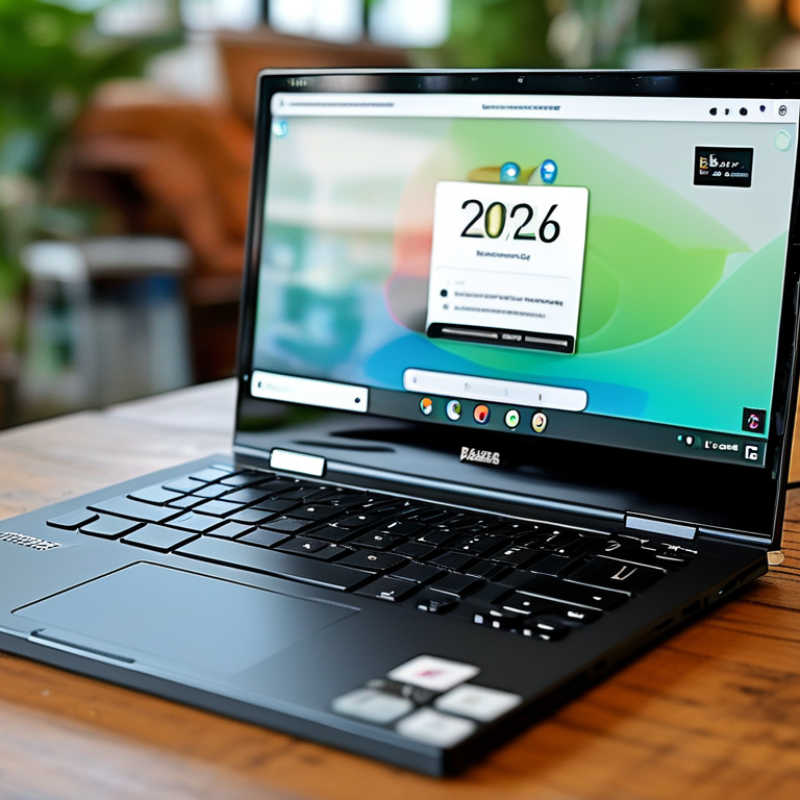
When exploring Chromebooks and Mini PCs, understanding their features is essential for making informed choices. Chromebooks run on Chrome OS, designed for internet-centric tasks. They are lightweight and offer extended battery life, typically around 10-12 hours. According to a report from the International Data Corporation (IDC), Chromebooks accounted for over 15% of global PC shipments in 2021. This indicates their growing relevance in education and remote work.
Mini PCs, on the other hand, provide more processing power and versatility. They often include Windows operating systems, making them suitable for various tasks. A study by Statista shows that the Mini PC market is expected to grow by 11.5% annually from 2021 to 2027. This growth reflects a demand for compact, powerful devices. However, some users find Mini PCs can overheat during intense tasks, requiring careful placement and airflow considerations.
While affordability is a major attraction, the choice between a Chromebook and a Mini PC depends on individual needs. Chromebooks excel in simplicity and battery life, while Mini PCs offer enhanced performance. Depending on your requirements, either option can have drawbacks, such as app compatibility issues or limited hardware upgrades. Understanding these aspects leads to more satisfying tech investments.
| Feature | Description | Importance Level |
|---|---|---|
| Operating System | Chrome OS is lightweight and secure, designed primarily for internet use. | High |
| Processor | Look for Intel or ARM processors for better performance. | Medium |
| RAM | 4GB is adequate, but 8GB is recommended for multitasking. | High |
| Storage Type | eMMC storage is common; SSDs provide faster access speeds. | Medium |
| Battery Life | Look for models with at least 8 hours of battery life. | High |
| Display Quality | Full HD (1920x1080) is preferable for better visuals. | Medium |
| Connectivity | Multiple USB ports, HDMI, and Wi-Fi 6 compatibility are ideal. | High |
| Weight | Lightweight models (under 3 lbs) are better for portability. | Medium |
: Portability and battery life are essential. Comfort in keyboard use and display quality matter too.
It’s crucial for multitasking, but some models may drain battery quicker. Your needs can vary.
Aim for at least 8GB RAM for smooth performance. Storage typically ranges from 64GB to 256GB.
Yes, they provide real-life insights. Look for forums discussing specific models for added information.
Expect to budget between $200 and $500. Prices reflect a mix of performance and features.
Yes, they often suffice for casual tasks like browsing and streaming, but may lack performance.
Upgrading RAM or storage can add to expenses. Warranties and maintenance may also increase the total cost.
It can limit offline access, which might not suit users needing consistent connectivity all the time.
Yes, testing helps gauge comfort and usability. It’s a crucial step to find the right model.
Some report discomfort during prolonged use or inadequate hardware support. Consider these aspects carefully.
The article "2026 Top Chromebook Mini PC Buying Guide for Global Shoppers" provides a comprehensive overview of Chromebook Mini PCs, tailored for consumers aiming to make informed purchasing decisions in 2026. It begins by explicating the key features that differentiate Chromebooks and Mini PCs, highlighting their portability, usability, and specific functionalities ideal for various user needs.
Essential considerations for selecting the right Chromebook Mini PC include performance metrics, storage capacity, and operating system compatibility. The guide also reviews popular models available in the global market, emphasizing their specifications and performance comparisons to help consumers identify the best options for their requirements. Additionally, it addresses budgeting strategies, offering insights into what shoppers can expect in terms of pricing for their 2026 Chromebook Mini PC purchases.

 JingHong Device