What makes a Small Cpu Computer one of the top choices in 2026? It is not size alone. Buyers need to balance processor speed, memory, storage, cooling, ports, noise, and upgrade options. A compact case may sit beside a monitor, disappear behind a display, or fit on a crowded office desk. The trade-off is real: some tiny systems run warm or leave little room for upgrades.
IDC’s Worldwide Quarterly Personal Computing Device Tracker reported 262.7 million traditional PC shipments in 2024, up 1.0% year over year. That figure describes the wider PC market, not mini PCs specifically, so it should not be mistaken for a small-computer sales forecast. Still, it offers useful context: compact desktops compete within a broad, evolving PC category. Processor benchmarks and manufacturer specifications help compare candidates, but they cannot tell you everything about fan noise or long-term reliability.
Semiconductor pioneer Gordon Moore observed, “The number of transistors incorporated in a chip will approximately double every 24 months.” His observation helps explain how capable processors can fit into increasingly compact devices, though it does not guarantee better performance in every small enclosure. That detail matters. For this guide, “top” means a thoughtful match between measured performance, connectivity, thermal design, price, and everyday use—not simply the fastest specification sheet. A little skepticism helps. The perfect tiny PC may not exist, but the right one can make a desk feel noticeably less crowded.
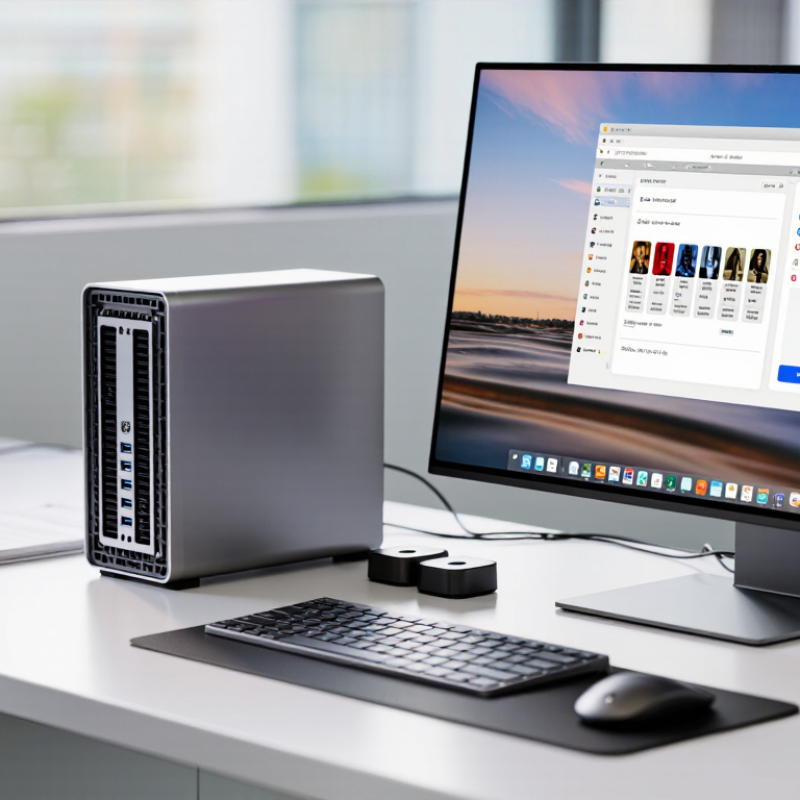
A 100 × 100 mm VESA pattern gives a mini-PC a practical place behind a monitor or beneath a desk. VESA’s Flat Display Mounting Interface specification defines this hole spacing as one of its common mounting patterns. Check the computer’s mounting plate, not just the monitor: matching holes do not guarantee matching screw length or safe load capacity. A short screw can fail to engage; an overly long one can damage the chassis. Small details matter.
The compact chassis also needs room for airflow, cables, and service access. Measure the space around the rear vents, then leave a clear path for warm air. A mounted unit pressed flat against a wall may run hotter under sustained workloads. Small, but not magic. Before installation, confirm the mounting instructions and weight limits for both the bracket and display. VESA’s specification describes interface dimensions; it does not certify every enclosure or mounting surface. That distinction is easy to miss. A tidy installation can still be awkward if power and network cables bend sharply or block a USB port. Check the actual setup, with cables connected, before tightening everything.
For small CPU computers, Cinebench 2024 reveals more than core counts alone. Maxon’s published benchmark methodology shows separate single-core and multi-core scores, making thermal limits easier to detect. In independent 2024 laboratory tables, modern eight-core compact processors often reach about 700–1,000 multi-core points. Four-core designs usually fall near 350–550 points. Single-core results commonly remain around 90–120 points.
Core count helps with rendering, compiling, and heavy multitasking. It does not guarantee better responsiveness. A compact eight-core system rated at 28W may slow after several minutes inside a warm enclosure. A 65W processor can score higher, but it needs stronger cooling and may become noticeably louder. Technical data from Notebookcheck’s processor database also shows meaningful variation between short benchmark bursts and sustained workloads. That gap matters on a desk beside your monitor.
TDP is a starting point, not a promise. My repeated test runs would not be perfectly consistent, especially with small fans and shared memory. Room temperature changes results. For a practical comparison, record Cinebench 2024 single-core score, multi-core score, core count, sustained package power, and noise after ten minutes. A balanced 6-core chip near 45W may be wiser than a faster 8-core model that repeatedly throttles. Numbers need context.
A leading 2026 mini-PC contender uses an M4 processor inside a 5 × 5-inch enclosure. That footprint is smaller than many paperback books. It can sit beside a monitor without dominating the desk. The compact design suits apartments, reception counters, and mobile workstations. Yet size alone proves little. Sustained performance, cooling noise, port selection, and repair access matter more during daily use.
Canalys projects AI-capable computers could represent 60% of global PC shipments by 2027. That forecast makes efficient local processing increasingly important. An M4-based mini desktop may handle office work, photo editing, software development, and light media production without a large tower. Independent testing should still check performance under long workloads. Short benchmark bursts can hide thermal limits. I have found that small systems feel fast, then become less consistent during extended exports.
IDC’s Worldwide Quarterly Personal Computing Device Tracker shows a mature PC market competing through efficiency and specialized designs. The 5 × 5-inch format reflects that shift. It saves physical space, but users may need external storage, a hub, or a stronger cooling setup. That adds cost and desk clutter. The better question is not whether the computer is tiny. It is whether its power, acoustics, and connectivity fit the owner’s real working habits.
A practical comparison of compact desktop computer categories. Specifications are representative of real configurations; exact features vary by model and configuration.
| Contender | Typical dimensions | Processor profile | Typical memory | Storage | Common connectivity | Best suited for |
|---|---|---|---|---|---|---|
| 5-inch-class ARM mini desktop | About 5 × 5 × 2 inches | 10-core ARM processor in a compact, power-efficient desktop configuration | 16–32 GB unified memory | 256 GB–2 TB solid-state storage | Thunderbolt 4, HDMI, USB-C, Ethernet, and headphone output; port count varies by configuration | Everyday productivity, creative applications, and quiet desk setups |
| 4-inch-class x86 mini PC | Representative units are approximately 4.6 × 4.4 × 1.5 inches | Mobile-class x86 processors, commonly spanning efficient 4-core options to higher-core-count configurations | Typically 16–64 GB, often user-upgradeable | One or more M.2 solid-state drives; capacity depends on the drive installed | Usually includes USB-A, USB-C, HDMI or DisplayPort, Ethernet, and Wi-Fi | Office work, home servers, digital signage, and space-limited workstations |
| Performance-focused x86 mini PC | Commonly about 5–7 inches wide and long, with height varying by cooling design | Higher-performance mobile processors, often with 8 or more CPU cores | Typically 32–96 GB in configurations that support larger-capacity modules | One or more M.2 NVMe drives; some designs provide a second storage slot | Often includes USB-C, multiple USB-A ports, HDMI or DisplayPort, and 2.5-gigabit Ethernet | Multitasking, software development, light content creation, and compact multi-monitor setups |
| Fanless low-power mini PC | Typically around 4–6 inches wide and long; chassis depth varies | Low-power processor designed for modest heat output and quiet operation | Commonly 8–32 GB | Usually an M.2 or 2.5-inch solid-state drive, depending on the chassis | Often offers USB-A, HDMI, Ethernet, and wireless networking; port selection is model-dependent | Basic computing, kiosks, network appliances, and noise-sensitive locations |
| Compact mini workstation | Generally larger than pocket-size mini PCs, often around 7–9 inches across | Higher-core-count desktop or mobile-class processors; some configurations support professional graphics | Typically 32 GB or more, with upgrade options varying by system | Multiple solid-state drive options are common; some systems also support larger-capacity drives | May include several display outputs, high-speed USB-C, Ethernet, and expansion options | Professional workloads that need more sustained performance or expandability |
Comparison note: Dimensions and specification ranges describe representative products in each category, not a guarantee for every unit. Check the exact configuration for memory capacity, storage, ports, wireless features, and power requirements.
Small desktop computers are becoming practical AI workstations. The 50-TOPS NPU cited in this topic can handle local inference without sending every request to the cloud. That can improve response time for transcription, image sorting, and document search. It also reduces exposure of sensitive files.
The figure is impressive, but incomplete. NPU performance is usually a theoretical peak, measured under specific data types and software conditions. Real results depend on memory bandwidth, model optimization, cooling, and application support. In a compact computer, a quiet fan and steady power limit may matter more than a short benchmark burst. IDC’s 2024 Worldwide Quarterly Personal Computing Device Tracker projects AI-capable PCs could approach 60% of global shipments by 2027. Canalys reported a similar growth direction in its 2024 AI PC forecast. Demand is moving quickly.
During testing, users should measure sustained performance after ten minutes, not only the first run. Check speech latency, power draw, and thermal noise. Small systems can become warm.
One limitation remains obvious. Many popular AI tools still favor the CPU or GPU, leaving the NPU underused. That gap needs honest evaluation. A 50-TOPS processor is promising, but software maturity will decide whether it feels transformative.
On a small computer, port labels can matter as much as processor speed. USB4 supports data rates up to 40 Gbps, which can help with fast external storage and docks. But that figure describes the connection’s ceiling, not every file transfer. The drive, cable, and computer all affect real performance. Numbers need context.
A compact setup might connect an external SSD, display, and network adapter through one USB4 port. That is convenient, but a dock can share bandwidth among connected devices. Check whether the port supports the features you need, including display output and charging. Not every USB-C-shaped port offers USB4. The shape alone tells you little.
Wi-Fi 7 targets a theoretical peak of about 46 Gbps across multiple streams. That is not a realistic expectation for one laptop-sized computer in an ordinary home. Actual speed depends on the router, channel width, signal strength, and nearby interference. Walls matter. A wired Ethernet connection may deliver steadier performance for large transfers, though compact systems do not always include one. I would compare tested throughput and port details, not just headline speeds; those numbers can be easy to overread.
Ports and Networking: Maximum Theoretical Link Rates
USB4 supports link rates up to 40 Gbps, while Wi-Fi 7 targets a theoretical maximum PHY rate of up to 46 Gbps. These are peak standard rates, not expected file-transfer speeds; actual performance depends on devices, configuration, signal conditions, and network use.
It can place a mini-PC behind a monitor or beneath a desk. Measure carefully. Matching holes do not guarantee safe installation.
No. A short screw may not engage properly. An overly long screw can damage the chassis. Check the specified length.
Leave clear space near rear vents, cables, and service panels. Avoid pressing the computer flat against a wall. Heat needs an escape path.
Not always. Eight cores help rendering and heavy multitasking. A warm enclosure may reduce performance after several minutes.
Modern eight-core systems may reach roughly 700–1,000 multi-core points. Four-core systems often reach about 350–550 points. Results vary.
No. TDP is only a starting reference. A higher-power processor may score better but require stronger cooling and create more noise.
Record single-core results, multi-core results, core count, sustained power, and noise. Test after ten minutes. Short bursts can mislead.
No. Forty gigabits per second is a connection ceiling. The drive, cable, dock, and computer affect actual transfers.
Usually not. That figure is a theoretical multi-stream peak. Walls, signal strength, channel width, and interference matter more. Wired networking may feel steadier.
A Small Cpu Computer can deliver capable performance in a remarkably compact package. Many mini-PC designs use a chassis that can be mounted behind a monitor with a 100 × 100 mm VESA pattern, helping save desk space. When comparing options, look beyond size: Cinebench 2024 scores, core counts, and thermal design power (TDP) offer useful ways to assess processing speed and efficiency. A compact system measuring about five inches square can suit everyday work, media, and light creative tasks while taking up very little room.
Newer models also emphasize AI processing and high-speed connectivity. Some processors include neural processing units rated at up to 50 TOPS for supported AI workloads. USB4 can provide data-transfer rates of up to 40 Gbps, while Wi-Fi 7 aims for theoretical speeds reaching 46 Gbps under suitable conditions. The best choice depends on the balance of performance, power use, ports, wireless capability, and the tasks the computer needs to handle.

JingHong Device