Choosing the best Small Form Computer in 2026 is not simply a matter of picking the fastest processor. Desk space, fan noise, upgrade options, and sustained performance can matter just as much. Gartner reported that worldwide PC shipments reached 245.3 million units in 2024, a 1.3% increase over 2023. That figure describes the wider PC market, not mini-PC sales, but it shows the scale of a category where compact designs compete for everyday work, study, and entertainment.
Small, but not simple. A tiny case may fit beside a monitor, yet restricted cooling can affect performance during long video exports or heavy multitasking. This guide compares leading models by processor capability, memory and storage, connectivity, power use, noise, and published warranty details. It also considers practical differences: a front-facing USB-C port can save daily effort, while soldered memory may limit future upgrades. Manufacturer specifications are useful, but they do not replace independent testing. Look for reviews that report sustained workloads and measured noise, not just short benchmark bursts.
There is no universal winner. A quiet office PC, a travel-friendly workstation, and a compact gaming system have different priorities. Some trade-offs are still frustrating: product configurations can vary by region, and performance claims may not reflect prolonged use. The comparisons ahead aim to make those limits visible, so readers can match a computer to real tasks rather than a headline score.
What Defines a Small Form Computer in 2026?
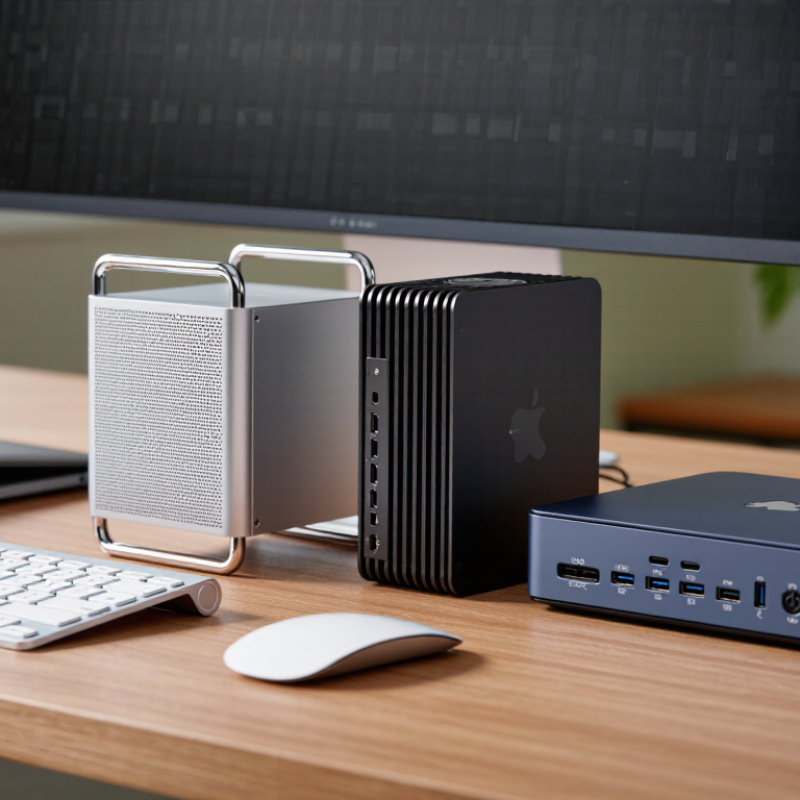
In 2026, “small form computer” still has no single industry-wide size cutoff. The term usually describes a desktop with a reduced footprint, compact internal layout, and limited room for expansion. Compare external dimensions and case volume, then check port access and upgrade options. Small is not enough. A box that fits beside a monitor may still run hot or leave no room for additional storage.
IDC’s Worldwide Quarterly Personal Computing Device Tracker reported 262.7 million PC shipments worldwide in 2024, a 1.0% increase from 2023. That figure covers PCs broadly, not small-form computers, so it provides market context rather than a size standard. This distinction matters: “small form” describes physical design, while performance depends on the processor, memory, cooling, and power limits inside the case.
For a practical definition, measure the computer where it will actually sit. Check clearance around vents, cable space, and whether the power supply is built in or external. Then consider sustained workloads, not just a brief speed test. A compact case can save desk space, but tight cooling may mean louder fans or reduced performance under long workloads. I would not judge size by appearance alone. It is an imperfect shortcut.
Which Small Computer Form Factors Are Available?
Small computers come in several shapes, and the case size affects more than desk space. Tiny mini PCs can sit behind a monitor or fit beside a router. They usually include standard ports for a display, keyboard, and storage, though port selection varies. Check the cooling design, too. A compact case with blocked vents may become warm during long workloads.
Small-form-factor desktops are wider and easier to upgrade. Their larger cases can often accommodate extra memory or storage, but internal space remains limited. Thin clients prioritize quiet, low-power use for browsing and remote work; they may not suit demanding creative tasks. Compute sticks are exceptionally small and plug directly into a display, but heat and limited connectivity can be real drawbacks. Single-board computers offer flexible, hands-on projects, yet often require separate cases, power supplies, and setup time. That matters.
The best fit depends on the actual workload, not just the footprint. For everyday office tasks, a tiny mini PC may be enough. For upgrades or more demanding applications, a small-form-factor desktop gives more room to adapt. Measure the space, count the ports you need, and consider where heat can escape. Specifications can look similar on paper. Real-world expansion options sometimes disappoint.
What Hardware Features Shape Performance and Usability?
A small-form computer can look powerful on a specification sheet, but sustained performance depends on how its hardware handles heat and power. A fast processor may slow down during long video exports if the compact case cannot move warm air out. Heat matters. Check whether the design has clear air vents and enough space around them. A machine tucked behind a monitor may run differently from one sitting in open air.
Memory and storage shape everyday responsiveness. For office work, browsing, and light photo editing, adequate memory often matters more than a headline processor speed. If several large files or applications stay open, limited memory can cause delays. A solid-state drive makes startup and file access feel quicker, though capacity still matters. Filling a small drive can become an irritating problem sooner than expected.
Ports and upgrade options affect usability over time. Count the connections you actually need: display outputs, USB ports, wired networking, and audio. Check display support carefully if you plan to use two monitors; connector shape alone does not guarantee the desired resolution or refresh rate. Wireless capability matters, but a wired connection can be steadier for large transfers. It is easy to overvalue tiny dimensions and overlook service access. Some compact models make memory or storage difficult to replace, and that trade-off deserves a second look before purchase.
How Should Small Form Computers Be Compared?
Comparing small form computers starts with the work they must do, not the size of their cases. A compact machine may handle office documents quietly but slow down during long video exports. Test each candidate with the same tasks, files, display, and power settings. Record completion time, fan noise, and surface warmth after several minutes. Brief speed tests can flatter a system that later throttles under sustained heat. Small differences matter.
Check the details that shape everyday use. Count the ports you actually need, such as two monitor outputs or a front-facing USB connection for a headset. Note whether memory and storage can be replaced, and whether opening the case requires ordinary tools. Measure the power adapter too; it can take up more desk space than expected. A small case is not always a small setup.
Price comparisons should include practical support and operating costs, not just the purchase figure. Review warranty terms, available service, idle power draw, and the cost of adding storage. I would test a unit in its intended room, because fan tone sounds different beside a quiet desk than in a busy office. That judgment is imperfect. Personal hearing varies, and one afternoon cannot predict years of use. Still, consistent measurements make comparisons more useful than a specification sheet alone.
2026 Top Small Form Computer: Which One Is Best?
Compare motherboard form factors by board footprint—a useful size measure, though the finished computer also depends on its case and components.
How to read this: A smaller footprint can make a more compact build possible, but it does not determine overall computer size or performance. Mini-ITX is the smallest of the three shown; check case compatibility, cooling, and expansion needs before choosing.
Which Small Computer Best Fits Each User’s Needs?
Choosing the right small computer depends less on its size than on the work it must handle. For web browsing, writing, and video calls, prioritize quiet operation, reliable wireless connectivity, and enough memory for several open applications. A student may value low power use and a compact power adapter. Someone editing large photos or running development tools should check processor performance, memory capacity, and storage options before buying. Small cases can limit upgrades and cooling. Measure twice.
Tips: List your daily applications, monitor connections, and desk dimensions before comparing models. Leave room for ventilation, especially inside a cabinet. Check whether memory and storage can be replaced later; product designs differ, and “compact” does not always mean easy to service.
For a shared living room, low fan noise and quick wake-up may matter more than peak speed. For a home office, multiple display outputs and stable wired networking can make a noticeable difference. Gamers or creators should compare sustained performance, not just headline specifications, because a tiny enclosure may reduce speed during long workloads. Think about your actual routine, too. Paying extra for power you rarely use is easy to regret. A small computer should fit both your tasks and the space around it.
Conclusion
Choosing the best Small Form Computer in 2026 starts with understanding what “small form” means: a compact system designed to save space while still meeting everyday computing needs. Options range from ultra-compact devices for basic tasks to somewhat larger mini desktops that offer more room for cooling, memory, storage, and expansion. The right choice depends not only on size, but also on where and how the computer will be used.
Compare processors, graphics capability, memory, storage, ports, wireless connectivity, noise, power use, and upgrade options. A student or casual user may value affordability and quiet operation, while a professional handling demanding workloads may prioritize stronger performance and flexible connections. For shared spaces, low heat and a small footprint can matter most. By weighing these features against your budget, desk space, and daily tasks, you can find a compact computer that offers a practical balance of performance, usability, and long-term value.

 JingHong Device