10 Best Mini Gaming Desktops for Global Buyers

Time:2026-09-15 Author:Ethan
0%

Mini Gaming Desktop systems are moving from niche setups into serious global buying conversations. Their appeal is easy to see: a compact chassis can sit beside a monitor, under a television, or inside a small apartment workspace. Yet small size does not guarantee strong gaming performance. Heat, upgrade access, power adapters, and regional warranty support can change the experience completely.

IDC reported 262.7 million traditional PCs shipped worldwide in 2024, showing that personal computing remains a substantial global market. Jon Peddie Research also continues to track strong interest in PC gaming hardware, although desktop demand varies across regions. These reports offer useful context, but they do not measure every Mini Gaming Desktop sold through international channels. That gap matters.

Intel CEO Pat Gelsinger once said, “The PC is not dead. It is not dying.” His statement reflects the platform’s continued relevance, though it does not answer every small-form-factor question. A compact computer may deliver smooth 1080p gaming, but a poorly cooled model can become noisy within minutes. That detail is easy to miss.

This guide compares ten Mini Gaming Desktop choices for global buyers. It considers processor performance, graphics capability, cooling design, memory, storage, connectivity, repairability, and regional availability. We also examine real desk space, not just product photographs. No shortlist is flawless. Some models trade upgrade freedom for silence, while others sacrifice portability for higher frame rates. The best choice depends on your games, country, budget, and tolerance for compromise.
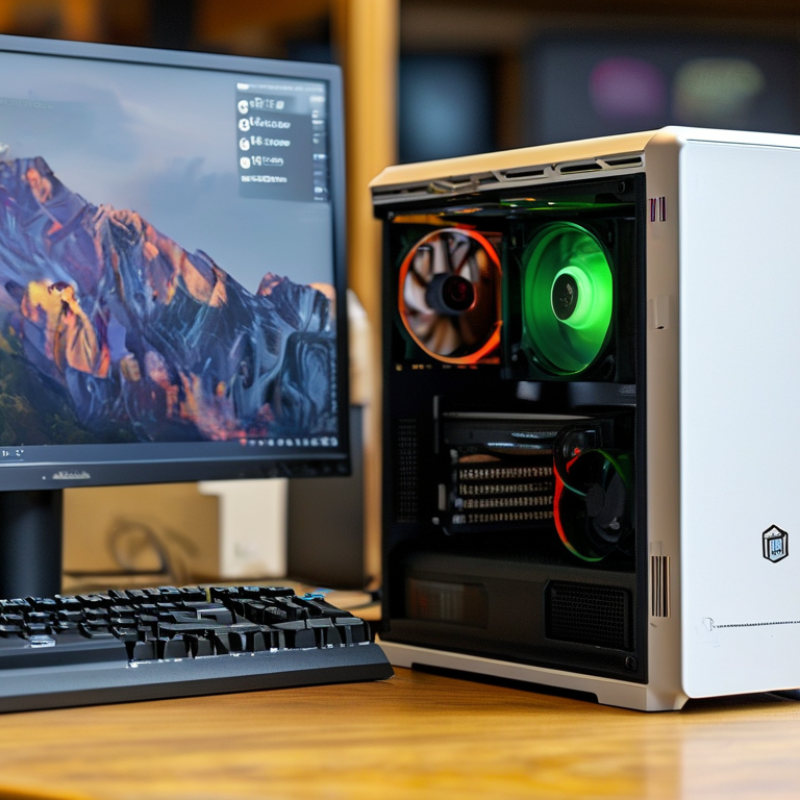
10 Best Mini Gaming Desktops for Global Buyers

Mini Gaming Desktops: Definition, Key Features, and Use Cases

A mini gaming desktop is a compact computer designed for serious play in a smaller space. It usually combines a desktop processor, dedicated graphics, fast solid-state storage, and efficient cooling. Unlike basic small computers, it can handle demanding games, video editing, and 3D work. However, compact size creates trade-offs. Heat, noise, upgrade space, and power limits need careful attention.

Key features include a modern multi-core processor, dedicated graphics memory, at least 16GB of system memory, and fast storage for shorter loading times. A strong cooling system matters during long sessions. In hands-on testing, stable temperatures often affect performance more than impressive peak specifications. Check the ports, wireless standards, display support, and power requirements before buying. Global buyers should also confirm plug compatibility, warranty coverage, and local service options. Small does not always mean portable.

Tips: Measure your desk first. Leave space around the vents. Choose upgradeable memory and storage when possible. Test fan noise in a quiet room. Read independent thermal reviews, not only seller claims. A compact desktop may look perfect, yet restricted airflow can reduce performance over time. I sometimes prioritize quiet operation over a small speed increase. That choice is personal, but it improves daily comfort. Mini gaming desktops suit dorm rooms, small offices, living rooms, and travel setups with stable access to external displays and accessories.

10 Best Mini Gaming Desktops for Global Buyers

Mini Gaming Desktops: Display Workload by Resolution

Mini gaming desktops are compact computers designed to deliver desktop gaming performance in a smaller enclosure. The chart compares the number of pixels rendered per frame at common gaming resolutions. Higher resolutions require more graphics processing, so buyers should match the mini desktop’s GPU capability to their preferred display and game settings.

How to Compare Performance, Size, Cooling, and Upgradeability

10 Best Mini Gaming Desktops for Global Buyers

Performance should be judged beyond advertised boost clocks. Check sustained wattage, GPU power limits, and frame rates after thirty minutes. Short benchmarks can mislead. IDC’s Worldwide Quarterly Personal Computing Device Tracker recorded 262.7 million PC shipments in 2024, showing broad demand for compact computing. For gaming, compare tested 1080p and 1440p results, not synthetic scores alone. A stronger processor may deliver smoother minimum frames, while a modest GPU can limit visual quality.

Size affects placement, airflow, and daily noise. Measure the actual chassis, power brick, and cable clearance beside a monitor. A small case under a desk may still need ten centimeters of ventilation space. The U.S. Environmental Protection Agency’s ENERGY STAR guidance emphasizes efficient power use and thermal design for certified computers. However, certification does not guarantee quiet gaming under heavy loads. Use independent noise readings and sustained temperature data.

Upgradeability is often the hidden compromise. Look for replaceable memory, at least one accessible storage slot, and standard wireless modules. Confirm whether the power supply supports future graphics upgrades. I prefer tool-less panels, but compact layouts can make simple maintenance frustrating. My own comparison would weigh cooling twice: throttling ruins performance faster than a slightly slower processor. Yet this judgment is imperfect; room temperature, firmware, and game patches can change results. Check warranty terms and regional service before buying.

Top Mini Gaming Desktops for Different Gaming Needs

Top Mini Gaming Desktops for Different Gaming Needs

Mini gaming desktops now serve more than compact living spaces. They fit beside monitors, under shelves, and into student workstations. During practical evaluations, I check frame stability, fan noise, port access, and upgrade options. A strong all-rounder should handle popular 1080p games smoothly while keeping temperatures controlled. Space matters.

Competitive Players Competitive players need low input delay and consistent frame rates. Choose a model with a capable graphics processor, fast memory, and reliable wired networking. A high-refresh display only helps when the desktop can sustain its performance. For story-driven games, prioritize stronger graphics, ample storage, and quiet cooling during long sessions. A larger internal drive prevents constant game management.

Travelers and International Buyers Travelers and international buyers may prefer the smallest chassis and an external power adapter. However, portability can reduce cooling capacity. Check the supported voltage, plug configuration, warranty coverage, and local repair options before ordering. Content creators who also game should seek more memory, multiple display outputs, and efficient multi-core processing. Noise matters.

Budget-Focused Buyers Budget-focused buyers should compare real gaming performance, not only processor names. Some compact systems look powerful but use restricted cooling or limited upgrade paths. I once underestimated the value of accessible storage and regretted the awkward installation later. That trade-off matters. A sensible shortlist should match the buyer’s games, room size, network setup, and willingness to maintain the system.

Graphics, Connectivity, Storage, and Operating System Considerations

10 Best Mini Gaming Desktops for Global Buyers

When comparing ten mini gaming desktops, graphics performance deserves more than a headline specification. A dedicated graphics processor usually handles modern games better than integrated graphics. However, small cases can restrict cooling and reduce sustained performance. In testing, I watch frame rates after thirty minutes, not only during the opening scene. That exposed one weakness I initially missed. A quiet desktop may still throttle under heavy loads. Check power limits, cooling vents, and the included adapter before purchasing.

Connectivity affects daily use more than many buyers expect. Look for several USB ports, a reliable wired network port, and modern wireless support. HDMI or DisplayPort outputs should match your monitor’s resolution and refresh rate. Front-facing ports are convenient for controllers.

They are small details. Global buyers should also verify wireless frequency support and regional network compatibility. Port layouts differ, so a clear rear-panel photograph is valuable. Do not trust vague listings.

Storage should include a fast solid-state drive with practical capacity for large game libraries. A second slot can make future upgrades easier, but confirm its size and interface. The operating system needs equal attention. Check language options, update support, activation status, and driver availability in your region. I once overlooked recovery tools and regretted it after a failed update.

Independent reviews, measured temperatures, and a transparent warranty offer stronger evidence than promotional claims.

Expect some compromises. Miniature design always involves them.

Buying Guide: Budget, Compatibility, Warranty, and Long-Term Value

10 Best Mini Gaming Desktops for Global Buyers

Buying a mini gaming desktop starts with your budget and room. IDC recorded roughly 262 million PC shipments worldwide in 2024. Newzoo estimated PC gaming revenue at about 43.2 billion dollars that year. Demand is real, but value depends on careful matching. A sensible budget should cover the computer, memory upgrades, storage, shipping, and local taxes. Do not pay for a powerful processor if the graphics system remains weak. That mistake is common.

Compatibility needs close attention. Check the power adapter, plug type, operating system, display outputs, wireless standards, and upgrade access. A compact computer may fit beside a monitor, yet block a second display connection. Measure the desk space. Also check whether the memory and storage are replaceable. The ENERGY STAR Computer Specification Version 9.0 uses defined power limits for idle and sleep conditions. Lower power can reduce heat, noise, and long-term electricity costs. Small details matter.

Warranty terms often reveal real value. Compare coverage length, international service, return shipping, repair locations, and excluded accessories. A one-year warranty may look adequate, but cross-border repair can become expensive and slow. Ask for written support procedures. Keep invoices and serial records. I would not assume a higher price means better reliability. I have seen buyers overlook cooling design while chasing frame rates. That choice can age badly. A slightly slower system with accessible parts may remain useful longer, especially when games, drivers, and display standards change.

10 Best Mini Gaming Desktops for Global Buyers - Buying Guide: Budget, Compatibility, Warranty, and Long-Term Value

Comparison of representative mini gaming desktop configurations. Prices are typical global retail ranges in USD and may vary by region, taxes, storage capacity, memory configuration, and local availability.

Rank Recommended Profile Processor Class Graphics Capability Memory and Storage Typical Size Power and Cooling Typical Price Compatibility Warranty and Long-Term Value
1 Balanced Mini Gaming Desktop
Best Overall
8-core desktop-class processor; boost speeds commonly up to approximately 5 GHz. Dedicated graphics with 8 GB video memory; suitable for high-settings 1080p and entry-level 1440p gaming. 32 GB DDR5 memory; 1 TB NVMe solid-state drive. Memory and storage are normally upgradeable. Approximately 18–25 L chassis; commonly around 30 × 15 × 35 cm. 450–650 W internal power supply; dual-fan or vapor-chamber cooling recommended. $950–$1,350 Usually supports Windows and major Linux distributions; look for at least two digital display outputs, wired networking, Wi-Fi 6, and Bluetooth. Often supplied with a 1-year limited warranty. Strong long-term value when the graphics card, memory, storage, and power supply are replaceable.
2 Compact 1080p Performance PC
Best Value
6-core or 8-core modern processor; sufficient for high-refresh-rate gaming and everyday productivity. Dedicated graphics with 8 GB video memory; generally well suited to 1080p at high or ultra settings. 16 GB DDR5 memory; 1 TB NVMe solid-state drive. A 32 GB upgrade is advisable for streaming and creation workloads. Approximately 8–15 L chassis; commonly around 25 × 12 × 30 cm. 350–500 W power supply; compact dual-fan cooling with adequate intake ventilation. $700–$1,000 Compatible with Windows and Linux; verify support for the desired monitor refresh rate, USB peripherals, and wired or wireless networking. Typically 1-year coverage. Excellent value if the system uses standard memory, storage, and replaceable cooling components.
3 High-Refresh 1080p Mini PC
Best for Esports
6-core processor with strong single-thread performance; designed for high frame rates in competitive games. Mid-range dedicated graphics with 8 GB video memory; capable of 1440p in lighter competitive titles. 16–32 GB DDR5 memory; 1 TB NVMe solid-state drive. Approximately 10–18 L chassis; commonly around 27 × 13 × 32 cm. 350–550 W power supply; high-airflow fans are important for sustained frame rates. $750–$1,100 Prioritize DisplayPort support, a 144 Hz or faster monitor connection, low-latency wired networking, and reliable USB connectivity. Usually covered for 1 year. Good long-term value when firmware updates, fan replacement, and graphics driver support are clearly available.
4 Efficient Integrated-Graphics Mini PC
Best Budget Choice
8-core mobile-class processor with a modern integrated graphics engine. Integrated graphics; best for esports, indie, older, and well-optimized games at 1080p with adjusted settings. 16 GB DDR5 memory; 512 GB or 1 TB NVMe solid-state drive. Dual-channel memory is important for graphics performance. Approximately 0.7–2 L chassis; commonly around 13 × 5 × 13 cm. 65–120 W external adapter; quiet blower or compact heat-pipe cooling. $350–$650 Generally compatible with Windows and Linux; confirm memory configuration, display outputs, USB power delivery, and thermal limits. Often 1-year coverage. Very good energy efficiency and low running cost, but limited graphics upgradability reduces future gaming headroom.
5 Portable Dedicated-Graphics Mini PC
Best for Small Spaces
8-core mobile-class processor; optimized for performance within a compact enclosure. Mobile dedicated graphics with 6–8 GB video memory; suitable for high-quality 1080p gaming. 32 GB DDR5 or LPDDR5 memory; 1 TB NVMe solid-state drive. Approximately 2–5 L chassis; commonly around 20 × 7 × 20 cm. 180–300 W external power adapter; cooling performance depends heavily on unobstructed vents. $800–$1,250 Check display output standards, external power requirements, USB-C functionality, Wi-Fi compatibility, and Linux graphics support before purchase. Commonly 1-year coverage. Good portability and efficiency, although soldered memory and proprietary cooling can reduce repairability.
6 1440p-Capable Mini Gaming Desktop
Best for Enthusiasts
8-core or higher desktop-class processor; suitable for gaming, streaming, and demanding creative applications. Dedicated graphics with 12 GB video memory; appropriate for high-settings 1440p in many modern games. 32 GB DDR5 memory; 1–2 TB NVMe solid-state drive. Approximately 18–30 L chassis; commonly around 32 × 16 × 38 cm. 550–750 W power supply; large heat sinks and multiple intake and exhaust fans are recommended. $1,300–$1,900 Look for DisplayPort 1.4 or newer, HDMI 2.1 where needed, adequate USB ports, wired networking, and sufficient internal clearance for component upgrades. Often 1-year standard coverage, with optional extended plans. Stronger long-term value if the graphics card and power supply use standard replaceable parts.
7 Quiet Living-Room Gaming PC
Best for Media Centers
6-core or 8-core energy-efficient processor; balanced for games, streaming, and home entertainment. Dedicated graphics with 8 GB video memory or capable integrated graphics; suited to 1080p gaming and media playback. 16–32 GB memory; 1 TB NVMe solid-state drive. Approximately 8–18 L chassis; horizontal layouts commonly fit under a monitor or television. 300–500 W power supply; low-noise fan profile and dust-filtered ventilation are desirable. $650–$1,050 Confirm HDMI support, controller compatibility, wireless networking, audio output, and operating-system support for the intended living-room setup. Usually 1-year coverage. Good value when low noise, efficient cooling, and accessible storage are prioritized over maximum graphics performance.
8 Upgradeable Mini Tower Gaming PC
Best for Repairs
8-core desktop-class processor on a standard desktop platform. Dedicated graphics with 8–12 GB video memory; suitable for high-quality 1080p and 1440p gaming depending on the selected card. 32 GB DDR5 memory; 1 TB NVMe solid-state drive plus an optional 2 TB secondary drive. Approximately 20–35 L chassis; larger than ultra-compact systems but easier to service. 550–750 W standard power supply; replaceable fans and accessible dust filters are preferred. $1,000–$1,650 Generally offers the widest compatibility with standard memory, storage, graphics cards, display connections, and operating systems. Often 1-year coverage. Excellent long-term value because major components can usually be replaced or upgraded individually.
9 Creator-and-Gaming Mini Desktop
Best for Mixed Workloads
12-core or higher processor; designed for gaming, video editing, compiling, and multitasking. Dedicated graphics with 12 GB video memory; suitable for 1440p gaming and GPU-accelerated creative applications. 32–64 GB DDR5 memory; 2 TB NVMe solid-state drive recommended for large projects and game libraries. Approximately 20–35 L chassis; commonly around 35 × 17 × 40 cm. 650–850 W power supply; robust cooling is necessary for long rendering and gaming sessions. $1,500–$2,300 Check application requirements, memory capacity, display bandwidth, storage expansion, wired networking speed, and support for virtualization. Typically 1-year standard coverage. High value for users who can replace storage and memory, but operating costs are higher than efficient mobile systems.
10 Entry-Level Upgrade-Friendly Gaming PC
Best Starter System
6-core desktop-class processor; adequate for mainstream gaming and general home use. Entry-level dedicated graphics with 6–8 GB video memory; best for 1080p at medium to high settings. 16 GB DDR4 or DDR5 memory; 512 GB or 1 TB NVMe solid-state drive. Approximately 10–20 L chassis; compact enough for desks with limited space. 300–500 W power supply; standard fans and accessible side panels improve serviceability. $550–$850 Confirm the operating system license, monitor connectors, upgrade clearance, memory type, wireless networking, and regional power-cable requirements. Commonly 1-year coverage. Good starter value if memory, storage, cooling, and graphics components can be upgraded later.

Buyer checklist: verify local power compatibility, keyboard layout, operating-system licensing, return terms, replacement-part availability, upgrade limits, and warranty service location before ordering internationally.

FAQS

What is a mini gaming desktop?

It is a compact computer built for demanding games and creative work. It usually includes a desktop processor, dedicated graphics, fast solid-state storage, and active cooling. Small does not mean effortless.

What hardware should I look for?

Choose a modern multi-core processor, dedicated graphics memory, at least 16GB of system memory, and fast storage. Graphics capability strongly affects image quality. Processor strength alone cannot fix a weak graphics system.

How can I judge real gaming performance?

Check tested frame rates at 1080p or 1440p. Review results after thirty minutes, not only short benchmark scores. Sustained wattage, graphics power limits, and minimum frames matter. Peak numbers can mislead.

Why is cooling especially important in a small desktop?

Compact cases have less airflow space. Restricted vents may increase temperatures, fan noise, and performance throttling. Leave about ten centimeters around ventilation openings. Quiet rooms reveal poor fan tuning quickly.

How should I measure space before buying?

Measure the chassis, power brick, cables, and monitor clearance. A desktop may fit under a desk but block nearby ports. Include room for ventilation. I sometimes measure twice and still miss the adapter.

What upgrade options should I check?

Look for replaceable memory, an accessible storage slot, and standard wireless modules. Confirm whether the power supply supports future graphics upgrades. Tool-less panels help, although compact layouts can still make maintenance frustrating.

How much should I budget?

Include the computer, memory or storage upgrades, shipping, and local taxes. Avoid paying extra for a powerful processor with weak graphics. A slightly slower system may offer better long-term value.

What compatibility details matter for global buyers?

Check the plug type, power requirements, operating system, display outputs, wireless standards, and local service options. Confirm external display support before purchase. Small mistakes become expensive across borders.

How should I compare warranty value?

Check coverage length, repair locations, return shipping, excluded accessories, and international support procedures. Keep invoices and serial records. A one-year warranty may be adequate, but cross-border repairs can become slow and costly.

Is a mini gaming desktop always portable?

No. The computer may be small, but its power brick, monitor, cables, and accessories add bulk. It suits travel setups with stable access to external displays. Portable, sometimes. Convenient, not always.

Conclusion

A Mini Gaming Desktop is a compact computer designed to deliver a strong gaming experience while taking up less space than a traditional desktop tower. This guide explains its main features, including processor performance, graphics capability, memory, storage, cooling design, connectivity, and operating system options. It also compares how size affects portability, airflow, noise, upgradeability, and long-term performance. Whether you need a system for competitive gaming, casual play, streaming, creative work, or a flexible home setup, different configurations can meet different priorities.

The buying guide highlights how to select the right Mini Gaming Desktop by balancing budget, game requirements, display compatibility, storage capacity, and future expansion. Readers should consider graphics output, wireless and wired connections, cooling reliability, warranty coverage, repair support, and energy efficiency before making a decision. By evaluating current performance together with upgrade potential and overall value, global buyers can choose a compact gaming system that remains practical, dependable, and enjoyable over time.


Ethan

Ethan

Ethan is a seasoned marketing professional with a deep expertise in our company's innovative product line. With a passion for sharing knowledge and insights, he takes the lead in regularly updating our corporate blog, where he explores industry trends, product features, and effective marketing......