The idea of a Tiny Gaming Desktop sounds simple: strong gaming performance in a compact box. The buying decision is less simple. Global buyers must compare processor and graphics options, cooling, memory, storage, ports, warranty coverage, and regional support. A system that fits neatly beside a monitor may still run hot or become noisy during a long gaming session. Size alone tells very little.
This guide looks at what matters before choosing a Tiny Gaming Desktop from China. We will consider practical details, such as airflow, memory upgrades, and available display connections. Check the exact configuration, not just the product photos. Some listings use similar names for different hardware, which can be confusing. Price and shipping estimates also deserve careful review, since delivery times, taxes, and service options vary by destination. Independent tests are useful, but results depend on room temperature, game settings, and test methods. Small systems can be capable. They also have limits. A compact machine may suit a desk with little space, yet a larger desktop can offer quieter cooling or easier upgrades. There is no perfect answer for every buyer. The goal is a clear, practical comparison, with questions worth asking before placing an order. One detail is easy to overlook: confirm the power adapter and plug arrangement for your region. That small check can prevent an avoidable setup problem. We will separate verifiable specifications from marketing language and note where buyers should seek confirmation from the seller.
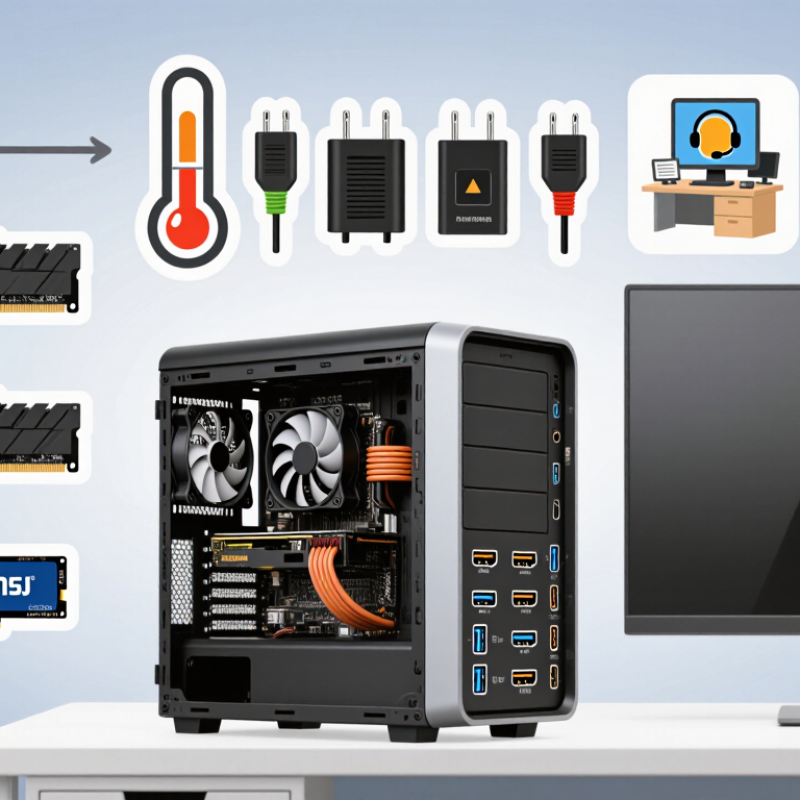
A tiny gaming desktop is defined by the balance between a compact footprint and usable gaming performance. There is no single size standard, so check the case dimensions against your desk, shelf, and available airflow. A system that fits beside a monitor but blocks its own vents is not truly practical. Small details matter.
Inside, look for a dedicated graphics processor, a capable cooling design, and memory and storage suited to your games. Component names alone do not tell the whole story: sustained performance depends on how well the case moves heat away. During demanding play, listen for fan noise and watch for performance drops. A small chassis can run warm, especially in a closed cabinet.
Connections and upgrade options also help define the category. Check for enough USB ports for a controller, headset, and external drive, plus display outputs that match your monitor. Some compact systems limit future upgrades, and that trade-off is easy to overlook. Measure twice. For global buyers, verify the power supply’s input range and plug compatibility before ordering. “Tiny” should describe the footprint, not a compromise hidden in the specifications.
A practical guide to evaluating compact gaming PCs. “Tiny” has no universal industry definition, so size categories below are working guidelines rather than formal standards.
| Evaluation Dimension | Practical Benchmark | What Global Buyers Should Check |
|---|---|---|
| Physical size | Under 5 L is ultra-compact; approximately 5–10 L is a useful working range for a tiny gaming desktop. | Check the complete case dimensions, including feet and protruding connectors. Volume alone does not show whether the PC will fit a shelf or travel case. |
| Graphics hardware | A dedicated graphics card is generally better suited to demanding modern games. Integrated graphics can suit lighter games and less demanding settings. | Confirm the exact graphics processor and its power limit. A small case may require lower-power components than a larger desktop. |
| Cooling and noise | Compact enclosures have less room for airflow and heat dissipation than larger towers. | Look for clearly described intake and exhaust paths, fan specifications, and independent temperature or noise testing under sustained gaming loads. |
| Memory | 16 GB is a practical baseline for many gaming setups; 32 GB provides more headroom for multitasking and memory-intensive games. | Check the installed capacity, number of memory slots, supported maximum, and whether the memory is replaceable. |
| Storage | An SSD reduces loading times compared with a traditional hard drive. A 1 TB SSD offers more room for a game library than a smaller drive. | Verify the installed capacity, SSD interface, available expansion slot, and whether opening the case affects the warranty. |
| Upgradeability | Compact PCs vary widely: some allow memory and storage upgrades, while others have limited or soldered components. | Before purchase, confirm which parts are replaceable and whether the graphics card, power supply, or cooling system uses standard parts. |
| Power and regional compatibility | Power requirements depend on the installed processor and graphics hardware; there is no single wattage that suits every tiny gaming PC. | Check the power supply’s input-voltage range, plug type, included power cord, and local electrical-safety and import requirements. |
| Display connections | Available video outputs depend on the graphics hardware and motherboard configuration. | Match the listed HDMI or DisplayPort outputs to your monitor’s resolution, refresh rate, and cable. Confirm that the output is connected to the intended graphics processor. |
| Network connectivity | Wired Ethernet can provide a direct network connection; wireless features depend on the installed adapter and antenna design. | Check the exact Wi-Fi and Bluetooth specifications, included antennas, and supported local wireless bands rather than relying on a generic “wireless” description. |
| Operating system and support | Software licensing, language options, driver availability, and warranty coverage can differ between markets. | Confirm the operating-system edition and activation status, available language settings, return policy, warranty region, and access to technical support. |
| Best-fit use case | A well-balanced tiny gaming desktop pairs suitable graphics performance with adequate cooling, memory, storage, and reliable power delivery. | Compare measured game performance and sustained-load behavior for the exact configuration. A small case by itself does not indicate gaming performance. |
The processor and graphics card need to work well together. A modest processor can limit a powerful graphics card.
They may handle lighter games. Demanding games usually benefit from dedicated graphics hardware.
Compact cases have less room for airflow and large coolers. During long sessions, heat may reduce performance or make fans louder. Not always quiet.
It can shorten loading times, but usually does not raise frame rates. Memory capacity and speed can matter when games run with chat or streaming tools.
Compare measured frame rates, temperatures, and power use. Results can change with room temperature, game settings, and updates. One test is not a promise.
Some allow memory, storage, or graphics replacements; others leave little room. Check the specific parts and layout before buying.
Check display outputs, wireless support, and the power adapter’s input range for your region. A vent pressed against a desk edge may also affect cooling.
A broad electronics supply chain can support varied configurations and faster development. It does not prove a system is well made.
Worldwide PC shipments reached 262.7 million in 2024, up about 1% year over year. That figure covers all PCs, not mini gaming desktops. That distinction matters.
A Tiny Gaming Desktop combines compact dimensions with the processing power needed for demanding games, making it a practical choice for users with limited desk space or who value portability. Its real-world performance depends on the balance of the processor, graphics capability, memory, storage, cooling, and power supply. Buyers should consider how these components work together rather than judging a system by one specification alone.
China’s mini PC market offers a wide range of configurations, but the best choice for a global buyer depends on more than price or performance. Compare models based on intended games, upgrade options, connectivity, operating system support, and compatibility with local power standards and accessories. Before purchasing, also check shipping costs and delivery estimates, warranty coverage, and how technical support and returns are handled in your region. These factors can help ensure that a compact gaming system is a suitable and dependable fit.

 JingHong Device