How to Choose a Korean Brand Laptop for Global Buyers?

Time:2026-10-15 Author:Oliver
0%

Choosing a Korean Brand Laptop for global use requires more than comparing processor names and screen sizes. Buyers should examine build quality, warranty coverage, regional availability, and long-term support. Samsung and LG, for example, may offer slim designs, bright displays, and efficient battery performance. However, a premium appearance does not guarantee an ideal purchase for every country.

Details matter.

Check the keyboard layout before ordering. A Korean-market laptop may include Hangul legends or a different Enter key shape. Confirm charger specifications, plug compatibility, operating system language, and Wi-Fi standards. A 65-watt USB-C charger can be convenient during travel, but only when the laptop supports reliable USB-C charging. Battery claims also need context. Brightness settings, video playback, and heavy software can reduce actual runtime. Official product pages are useful, but independent reviews reveal fan noise, hinge strength, and display behavior in daily use.

Global buyers should compare authorized retailers, return policies, repair centers, and warranty limitations. Some warranties apply only within the original sales region. That detail can become expensive after a faulty charging port or swollen battery. Look for recognized safety certifications and verify model numbers carefully. Reviews from users in similar climates can provide practical evidence, especially for heat management and keyboard comfort. No guide can identify one perfect model. I may favor lightweight designs too quickly. A heavier laptop could offer better cooling and easier repairs. The right choice depends on work habits, budget, location, and support access. Careful verification turns an attractive Korean Brand Laptop into a dependable international purchase.
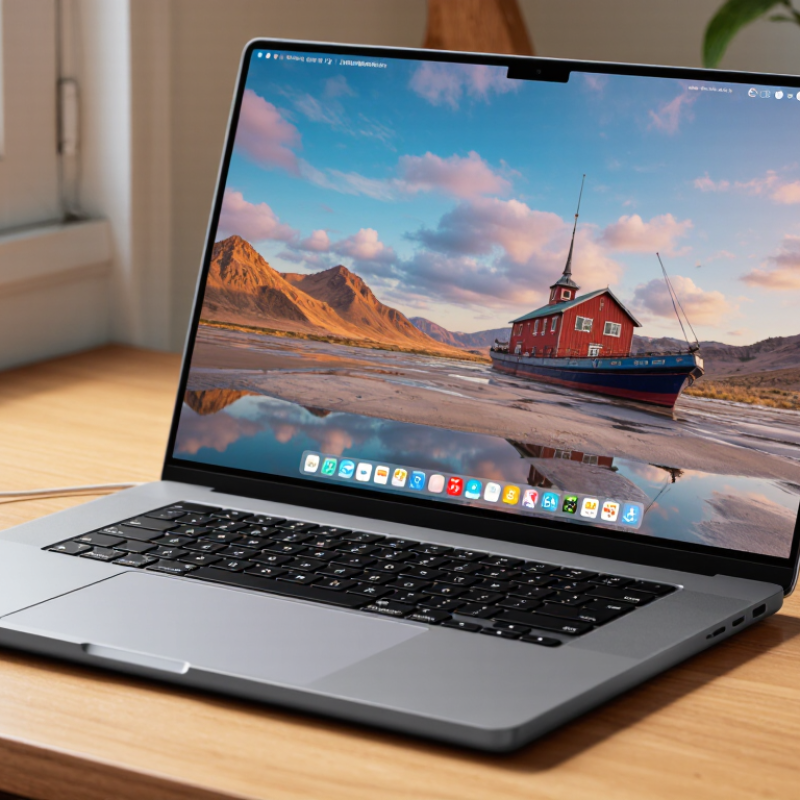
How to Choose a Korean Brand Laptop for Global Buyers?

Define Your Needs, Budget, and Intended Laptop Use

How to Choose a Korean Brand Laptop for Global Buyers?

Define Your Needs, Budget, and Intended Laptop Use

Choosing a Korean laptop starts with your daily work, not its appearance. For office tasks, prioritize a comfortable keyboard, clear webcam, quiet cooling, and dependable battery life. For coding or design, check processor class, memory, display color coverage, and upgrade options. Gaming demands stronger graphics, but that usually means more weight and shorter unplugged use. Write down three applications you use every week.

Set a firm budget in your local currency, then reserve money for delivery, taxes, accessories, and possible repairs. A low sticker price can become expensive after importing. Compare total cost, not just the sale price. For many buyers, 16GB memory and a solid-state drive offer a practical starting point. However, specifications can mislead. An efficient midrange processor may suit travel better than a hotter high-performance chip.

Check the keyboard layout carefully, especially if you need English letters for work. Confirm charger input compatibility, warranty coverage, return conditions, and service availability in your country. Support may be limited outside Korea. Read independent reviews that test battery life, fan noise, and screen brightness. I once chose a very light laptop and underestimated its small ports. That mistake affected my workflow for months. A two-kilogram device may feel acceptable at home but tiring during daily commuting. Think about those small moments before ordering.

How to Choose a Korean Brand Laptop for Global Buyers?

Define your needs, budget, and intended laptop use before comparing specifications. The chart shows practical memory targets for common laptop workloads.

Basic office tasks generally work well with 8 GB of RAM, while multitasking, creative production, software development, and advanced 3D work benefit from 16–32 GB. Buyers should also compare processor performance, SSD capacity, display quality, battery life, keyboard layout, warranty coverage, and regional power compatibility.

Compare Korean Brands, Product Lines, and Global Availability

Choosing a Korean laptop requires more than checking processor speed or screen resolution. Compare each brand’s product lines by purpose, not appearance. Slim ultrabooks suit frequent travelers and office work. Business models usually offer stronger ports, privacy controls, and longer support options. Gaming lines prioritize cooling, graphics power, and upgrade access. Convertible models add touch functionality but may sacrifice repairability.

Global availability can change the buying decision. Check the exact model code on the manufacturer’s regional website. Specifications may differ between Korea, Europe, and North America. A Korean keyboard layout might require adjustment. Warranty coverage may also remain limited to the original sales region. Confirm international service, replacement parts, operating-system language, and charger plug compatibility before paying. Local retailers can provide easier returns, but their inventory is often narrower.

I once focused too heavily on display quality and overlooked repair support. That was a costly lesson. A bright screen cannot replace dependable service. Read independent testing from established technology publications, then compare official specifications. Watch for unclear claims about battery life, military durability, or artificial intelligence features. Those claims need testing conditions. Prices also deserve careful comparison, because import tax and shipping can erase an attractive discount. Some global listings look cheaper, but their warranties are weaker. Reliability is not glamorous, yet it matters after the first year.

Evaluate Hardware, Display Quality, Battery Life, and Durability

How to Choose a Korean Brand Laptop for Global Buyers?

When choosing a Korean laptop, inspect the hardware beyond processor names. A modern processor can still feel slow with limited memory or a weak cooling system. For office work, 16GB of RAM and a fast solid-state drive offer a practical baseline. Designers and engineers may need stronger graphics and better heat management. Check the port selection carefully. A thin chassis may sacrifice useful connections.

The display deserves hands-on attention. Look for accurate colors, comfortable brightness, and a matte surface if you work near windows. Around 300 to 500 nits is usually suitable indoors, while outdoor use needs more. A sharp panel is pleasant, but high resolution can reduce battery life. I once valued resolution too highly and ignored screen glare. That was a poor trade.

Battery claims should be treated as estimates. Test Wi-Fi browsing, video playback, and office applications at moderate brightness. Real results often fall below advertised figures. Durability also depends on hinge movement, keyboard flex, and chassis materials. Open the lid with one hand. Listen for creaks. Small details matter. Check the warranty terms for your country, available repair support, and charger compatibility. A laptop may perform well yet become inconvenient when replacement parts are difficult to obtain. No choice is perfect. The right balance depends on your workload, travel habits, and tolerance for compromises.

Check Operating System, Keyboard Layout, Warranty, and Support

Choosing a Korean-market laptop for global use starts with its operating system. Check the installation language, regional settings, recovery partition, and license activation before paying. StatCounter Global Stats reported that Windows held roughly 70% of worldwide desktop operating-system usage in 2024. That makes compatibility likely, but not guaranteed. Some units still include Korean-only recovery tools or drivers. I once found a laptop whose menus changed language, while its recovery screen did not. That small inconvenience became a serious repair problem.

Keyboard layout deserves a physical inspection. Korean keyboards often include Hangul legends and may place symbols differently from US or UK layouts. Compare the Enter, Backslash, and quotation-mark keys with your daily layout. The wrong arrangement can slow coding, accounting, and password entry. IDC’s Worldwide Quarterly Personal Computing Device Tracker recorded more than 250 million PC shipments globally in 2023. Buyers therefore face varied regional configurations, not one universal standard. Ask for clear keyboard photos, not a generic product image.

Warranty and support can matter more than a lower price. Confirm whether coverage is international, where repairs are performed, and who pays two-way shipping. Check the warranty period for the battery separately. A 2024 GSMA Intelligence consumer survey found that repairability and after-sales service influence device purchase confidence, although survey wording differs by market. Support quality is harder to measure. Test the service channel before ordering, using a specific technical question. Save the serial number, invoice, and policy page offline. My advice is imperfect: seller promises can change, and translated warranty terms may omit important exclusions.

Verify Pricing, Shipping, Compatibility, and Buyer Protection

How to Choose a Korean Brand Laptop for Global Buyers?

A Korean laptop can offer strong displays, efficient processors, and thoughtful portability. Global buyers should verify the final price, not only the listed price. Baymard Institute reports an average online cart abandonment rate of about 70%. Unexpected taxes and shipping fees often cause hesitation. Compare the product price, import charges, payment fees, and return costs in one currency. DHL’s 2024 E-Commerce Trends Report found that 81% of shoppers may abandon purchases when preferred delivery options are unavailable. Choose tracked shipping with clear delivery estimates. Ask whether the seller provides a local return address.

Tips: Photograph the sealed package and serial label during delivery. This creates useful evidence if damage appears.

Compatibility needs careful checking. Confirm the laptop’s keyboard layout, charger plug, voltage range, operating-system language, and wireless standards. A Korean keyboard may feel unfamiliar during daily work. Most modern adapters support broad voltage ranges, but the specification label should decide, not an assumption. Check warranty coverage in your country. Some warranties require international shipping, which can become expensive and slow. I would not rely on a translated product page alone. Manufacturer documents and the seller’s written answers are safer.

Use payment methods offering dispute support and keep every invoice, message, and tracking record. The OECD’s consumer policy research repeatedly identifies clear information and effective redress as key features of trustworthy e-commerce. Buyer protection is not a decoration. It matters when delivery fails, accessories are missing, or the specification differs. A small compromise in price may be worthwhile when the seller provides transparent policies and responsive support.

How to Choose a Korean Brand Laptop for Global Buyers? - Verify Pricing, Shipping, Compatibility, and Buyer Protection

Verification Area What to Check Reliable Reference or Standard Practical Buyer Test Risk Level
Listed price Confirm whether the advertised price includes sales tax, shipping, import duties, and payment fees. The checkout total is more reliable than the product-page price. Import taxes depend on the destination country and product classification. Calculate: product price + delivery + tax + customs charge + currency-conversion fee. Medium
Currency and exchange rate Check whether the price is shown in South Korean won and how the final conversion is calculated. Card issuers and payment services may use different exchange rates and foreign-transaction fees. Compare the seller’s converted total with the rate shown by your card provider before payment. Medium
Processor and memory Verify the exact processor generation, core count, memory capacity, memory type, and upgradeability. Use the processor manufacturer’s official specification page and the laptop’s exact model code. Do not rely only on labels such as “latest” or “high performance”; match the full processor and memory specifications. Low
Keyboard layout Identify the physical key layout and confirm whether the operating system language can be changed. A Korean-market keyboard may include Hangul legends and may not match US, UK, or other regional layouts. Request a clear keyboard photograph and compare the Enter, Shift, Backslash, and punctuation-key positions. Medium
Operating system and language Check the installed operating-system edition, activation status, recovery partition, and available display languages. Activation should be valid for the supplied device, and the edition should support the buyer’s required language and features. Ask for the exact operating-system edition and proof that the license is included rather than separately installed. Medium
Power compatibility Read the input range printed on the charger and identify the required plug adapter. South Korea commonly uses 220 V, 60 Hz electricity with Type C and Type F-style plugs. Many laptop adapters accept 100–240 V, but the label must be checked. Confirm that the charger states “100–240 V, 50/60 Hz” before using it abroad. High
Wireless connectivity Verify Wi-Fi and Bluetooth versions, supported frequency bands, and regulatory approval for the destination. Wi-Fi availability can differ by region, and wireless equipment is subject to local radio regulations. Check the wireless module part number and confirm compatibility with the buyer’s router and country. Medium
Mobile connectivity For cellular models, verify SIM or eSIM support, modem bands, carrier compatibility, and whether the device is locked. 4G and 5G bands vary by country and network operator; a compatible SIM alone does not guarantee service. Compare the modem’s supported bands with the destination carrier’s published frequency list. High
Ports and accessories Confirm the number and type of USB, display, audio, memory-card, and charging ports. Port names do not always indicate identical capabilities; USB-C may or may not support charging, video output, or high-speed data. Request the manufacturer’s port specification rather than relying on product photographs. Medium
Battery and transport Check battery capacity, condition, cycle count for used units, and the shipping carrier’s battery policy. Lithium-ion batteries are regulated for air transport. Spare batteries and damaged batteries can face additional restrictions. Ask whether the battery is installed in the laptop and request its rated watt-hour information. Medium
Shipping time and tracking Confirm dispatch time, estimated delivery window, tracking availability, and the party responsible for customs clearance. International delivery estimates are not guarantees and may exclude customs processing time. Choose a service with end-to-end tracking and retain the tracking record until the inspection period ends. Medium
Customs documentation Verify the commercial invoice, declared value, product description, origin information, and tariff classification. Incorrect declarations can delay delivery or create additional duties, penalties, and return problems. Ask for documentation that accurately describes the laptop as new, refurbished, or used. High
Warranty coverage Determine whether the warranty is international, regional, or limited to the country of purchase. Warranty terms, service locations, exclusions, and return-shipping responsibilities differ by seller and model. Obtain the written warranty terms and confirm the nearest authorized service option before ordering. High
Return and refund policy Check the return period, restocking fee, return address, refund timing, and responsibility for international postage. A return policy should clearly explain what happens if the item is defective, damaged, incorrect, or simply unsuitable. Save a copy of the policy and confirm that opened packaging does not automatically cancel all remedies. High
Payment and buyer protection Use a payment method that provides transaction records and a dispute process for non-delivery or material misdescription. Protection rules vary by card issuer, payment service, marketplace, country, and transaction type. Avoid irreversible direct transfers when no written buyer-protection terms are available. High
Model identity and condition Match the model code, serial information, release condition, storage capacity, display specification, and included accessories. The same product family can have different regional configurations, keyboards, chargers, displays, and wireless modules. Request a photograph of the identification label and compare it with the written invoice before shipment. High
Recommended decision rule: Proceed only when the total landed cost, charger voltage, keyboard layout, operating-system language, wireless compatibility, warranty terms, return procedure, and payment protection have all been confirmed in writing.

FAQS

What hardware should global buyers check first?

Look beyond the processor.

How can I judge display quality?

Inspect color accuracy, brightness, and glare in person.

Are advertised battery figures reliable?

Treat them as estimates, not promises.

How can I inspect laptop durability?

Open the lid with one hand.

What operating-system details need checking before purchase?

Confirm the installation language, regional settings, recovery tools, and license activation.

How should I check the keyboard layout?

Request clear, real keyboard photos.

What warranty and support questions should I ask?

Confirm international coverage and the repair location.

What documents and accessories should I verify?

Save the serial number, invoice, and warranty page offline.

Conclusion

Choosing a Korean Brand Laptop for global use starts with clearly defining your needs, budget, and intended tasks, such as office work, study, creative projects, gaming, or travel. Compare available product lines by performance, size, portability, and international availability rather than focusing only on appearance or specifications. Pay close attention to the processor, memory, storage, display quality, battery capacity, cooling system, and overall durability to ensure the laptop matches your daily requirements.

Before buying, confirm the operating system, keyboard layout, charger plug, language settings, warranty coverage, and access to customer support in your region. It is also important to verify the final price, shipping costs, taxes, delivery conditions, return policy, and compatibility with local networks and accessories. Purchasing through a reliable seller with clear buyer protection can reduce potential risks and make international ownership more convenient. A careful comparison will help you select a dependable laptop with suitable features, long-term value, and practical global support.

Oliver

Oliver

Oliver is a seasoned marketing professional with a wealth of expertise in driving brand awareness and engagement. With a deep understanding of our company's product offerings, he consistently delivers high-quality content that enriches our professional blog. His insights not only shed light on......