Choosing the right mini PC with Windows 10 can significantly enhance your computing experience. In a market crowded with options, it can be overwhelming. A good mini PC provides portability, performance, and efficiency. When considering a mini PC Windows 10, think about your specific needs. Do you want it for entertainment, office work, or gaming?
Size and design matter. Some mini PCs are incredibly compact and stylish. Others may prioritize function over form. Performance is crucial. Look for models with solid processors and ample RAM. These features affect speed and multitasking capabilities. Reliability is another factor. A trusted brand often ensures better support and warranty options.
Keep in mind the balance between price and features. Sometimes, cheaper models come with compromises. Reflect on this when making your choice. Investing time in research can prevent future dissatisfaction. A well-chosen mini PC can serve you for years, making it worth the effort.
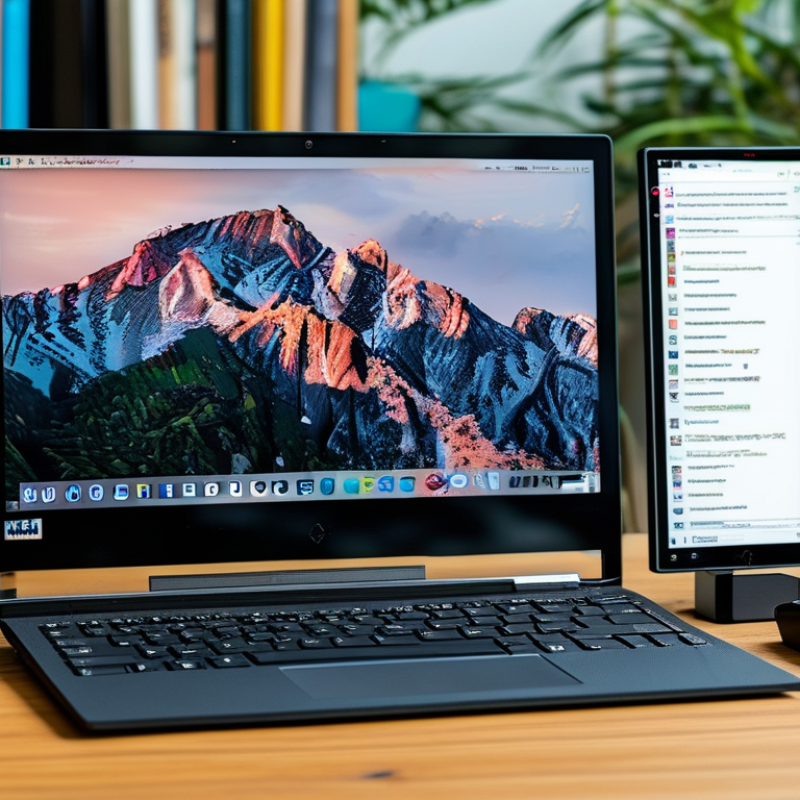
Understanding Your Computing Needs and Use Cases for a Mini PC
When considering a mini PC with Windows 10, it’s crucial to understand your specific computing needs. Are you looking for something compact for basic tasks, or do you need a powerful machine for demanding applications? Knowing your primary use cases can guide you in making the right choice.
If your activities range from internet browsing and streaming to light gaming, a basic model may suffice. These mini PCs are energy-efficient and space-saving. However, for tasks like video editing or software development, you’ll require a more robust configuration. This often means opting for higher RAM, better processing power, and dedicated graphics.
Reflecting on what you truly need can prevent over or under-investing. Many users purchase higher-end models but end up using only a fraction of the available power. It's also essential to consider future needs. Technology evolves rapidly, and wanting a mini PC that can adapt to changing requirements is wise. Think about potential upgrades for RAM and storage, as well. It might save you from needing a complete replacement down the line.
Key Specifications to Consider When Selecting a Windows 10 Mini PC
When selecting a Windows 10 mini PC, key specifications play a crucial role. Understanding CPU performance, memory capacity, and storage options is vital. According to a recent report by IDC, mini PCs are projected to grow by 15% annually due to their compact design and efficiency. Choosing the right CPU ensures optimal performance—look for models with at least four cores. This is essential for multitasking and running demanding applications smoothly.
Memory is another critical factor. Most experts recommend a minimum of 8GB RAM. Insufficient memory can lead to slow performance and frustration. Aim for systems that support RAM upgrades, allowing you to expand as needed. Consider storage types as well; SSDs provide faster data access than traditional HDDs. A recent study showed that SSDs can reduce boot time by over 50%, enhancing overall user experience.
Tip: Check if the mini PC has additional ports for expandability. This is important for connecting peripherals or additional storage devices.
Remember that not all specifications need to be top-tier. Sometimes, balancing performance with cost can lead to better overall satisfaction. Consider your primary use case and make choices that reflect your needs. Look for customer reviews but also acknowledge that individual experiences vary greatly and may influence your decision-making process.
Comparing Performance: Processors, RAM, and Storage Options
When choosing a mini PC with Windows 10, performance is key. The processor determines how quickly tasks are executed. A quad-core processor generally offers better multitasking capabilities. Look for options that integrate hyper-threading technology. This feature allows each core to work on two tasks simultaneously. Consequently, you’ll notice improved performance in productive applications.
RAM is another essential factor. Ideally, opt for at least 8GB of RAM if you plan to run multiple applications. Insufficient RAM can lead to slow performance. However, having too much RAM may not always yield immediate benefits. Assess your actual usage needs to find the right balance. More is not always better.
Storage options also play a critical role. Solid State Drives (SSDs) deliver faster read and write speeds compared to traditional Hard Disk Drives (HDDs). This can significantly shorten boot-up times and improve overall system responsiveness. Think about your data storage needs. If you manage large files or media, larger storage is necessary. Still, remember that SSDs can be pricier than HDDs. Weigh your choices carefully.
Comparison of Mini PC Performance: Processors, RAM, and Storage Options
Exploring Form Factors and Connectivity Features of Mini PCs
When choosing a mini PC with Windows 10, understanding form factors is crucial. Mini PCs come in various shapes and sizes. Some are compact cubes, while others resemble traditional desktops.
The form factor impacts both aesthetics and space utilization. A smaller design can fit snugly on a desk or hang behind a monitor. However, some may compromise power and upgrade options.
Connectivity features are equally important. Evaluate how many ports you need for peripherals. USB, HDMI, and Ethernet ports enhance usability. Wireless connectivity options, like Wi-Fi 6, provide fast internet access.
Think about future needs too. Newer devices may support more advanced technologies. This foresight can prevent potential frustrations later.
While mini PCs are a great choice, they may have limitations. Some models heat up under heavy load, affecting performance. Potential users should also consider the RAM and storage flexibility. Not all mini PCs allow easy upgrades.
Reflect on what you value most—portability or performance—and make an informed choice.
Evaluating Budget and Brand Reputation for Mini PC Purchases
When evaluating a mini PC, budgeting and brand reputation play crucial roles. The global mini PC market was valued at approximately $4.4 billion in 2020 and is projected to reach $8.9 billion by 2026. This growth highlights the rising popularity of mini PCs, driven by their compact designs and versatility. Yet, budget constraints often determine the options available. It’s vital to assess what you can afford without compromising on essential features.
Brand reputation is another factor to consider. According to a recent consumer electronics survey, about 70% of buyers prioritize brands with a positive track record. They look for durable products and reliable customer service. Yet, not all high-reputation brands guarantee the best performance. User reviews reveal instances where certain brands falter in specific areas, like thermal management or software support. It's wise to research and gather insights from various sources before making a decision. Balancing budget and reputation will help narrow your choices effectively.
FAQS
: Key specifications include CPU performance, memory capacity, and storage options. These factors greatly affect usability.
Look for mini PCs with at least four CPU cores. This ensures smooth operation for demanding applications.
Experts suggest a minimum of 8GB RAM. Insufficient memory can cause slow performance and frustration.
SSDs offer faster data access and can reduce boot time by over 50%. This improves the overall user experience.
Check for additional ports. Expandability is important for connecting peripherals or extra storage devices.
Budget constraints significantly influence options. It's essential to assess what you can afford while not sacrificing essential features.
Yes, about 70% of shoppers prioritize brands with a positive track record. However, reviews vary, and not all brands are equally reliable.
No, not all high-reputation brands guarantee great customer service. Research is necessary. Individual experiences can greatly differ.
While reviews are helpful, individual experiences may vary widely. Collect a range of insights before committing to a purchase.
Yes, balancing performance with cost can improve satisfaction. Focus on your primary use case while making choices.
Conclusion
When choosing the best Mini PC Windows 10 for your needs, it's essential to first understand your specific computing requirements and intended use cases. This initial assessment will guide you in identifying the key specifications you need to prioritize, such as processor type, RAM capacity, and storage options, which directly impact performance.
Furthermore, consider the form factors and connectivity features of different Mini PCs to ensure they fit well with your existing setup. Evaluating your budget alongside the reputation of brands in the market can help you make an informed decision. By carefully analyzing these factors, you can select a Mini PC Windows 10 that aligns perfectly with your needs and delivers optimal performance.

 JingHong Device