A Mini Frame Computer can look ready for any office: a palm-sized case, quiet cooling, and ports lined up along its rear panel. Yet global buyers need more than a compact shape. Processor performance, memory capacity, storage options, power input, and operating-system support all affect daily use. A small chassis also has limits. Sustained workloads can expose heat and noise issues that a quick product listing will not show.
Steve Jobs, a computer-industry pioneer, once described the computer as “the most remarkable tool that we've ever come up with,” comparing it to “a bicycle for our minds.” That idea fits compact computing, but the right tool depends on the task. A reception desk, digital-signage screen, and engineering workstation do not need the same configuration. Buyers should check measured performance, cooling design, port placement, warranty coverage, and local service access. Details matter.
This guide compares ten Mini Frame Computer options for international buyers, focusing on practical differences rather than flashy specifications. It considers everyday speed, upgradeability, connectivity, energy use, and support availability, while noting that prices and configurations can vary by region. Some product data may be incomplete or change over time; that deserves a second look before purchase. No model fits everyone. The best choice is the one that handles the real workload without creating avoidable maintenance headaches.
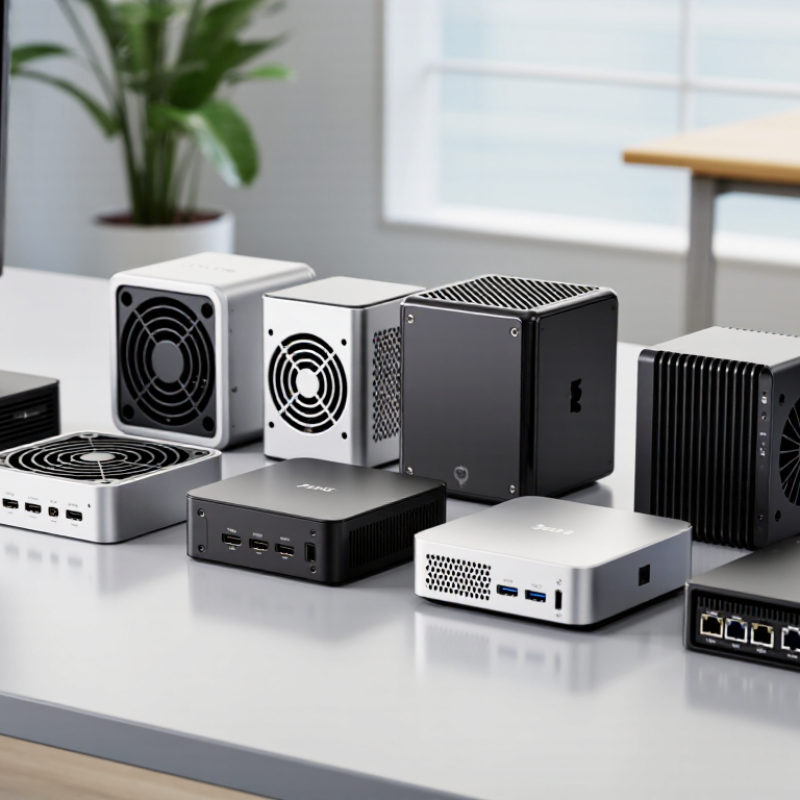
What defines a mini frame computer is not one universal size. The term usually describes a compact computer built around a small supporting chassis or frame. That structure holds the motherboard, processor, memory, storage, and cooling parts in place. Unlike a typical desktop tower, it takes up little space and can often fit inside a cabinet, behind a display, or on a workbench. The label can be fuzzy, though. Sellers may use it for different layouts, so dimensions and specifications matter more than the name.
Look closely at how the computer will be installed and used. A metal frame may help secure components and transfer heat, but it does not guarantee quiet or reliable operation. Check the listed operating temperature, power input, ventilation needs, and available ports. For example, a small control station may need several USB connections and a wired network port, while a display system may depend on specific video outputs. Measure the mounting area, too. A case that looks compact online can still block nearby cables. Small, but not simple.
The frame also affects service access. Removable panels can make memory or storage easier to reach, while a tightly packed design may require extra care during maintenance. Dust buildup is easy to overlook. For steady workloads, match the processor and cooling capacity to the task rather than choosing by size alone. Product descriptions do not always explain these trade-offs clearly, so confirm the physical measurements and connection details before comparing models.
A mini frame computer is a compact computing system designed to provide useful processing, memory, and connectivity in a small enclosure or board. The table below compares ten common form factors by typical characteristics and use case. Rankings are organized by application, not by brand or measured market share.
| No. | Computer Type | Typical Size or Footprint | Representative Configuration | Common Connectivity | Typical Power Profile | Best-Fit Applications | Buyer Considerations |
|---|---|---|---|---|---|---|---|
| 1 | Compact office mini PC | About 0.6–1.5 L; commonly around 120–180 mm wide | Mobile-class or efficient desktop processor; 8–32 GB memory; NVMe solid-state storage | Multiple USB ports, HDMI or DisplayPort, Ethernet, Wi-Fi | Usually tens of watts under typical office workloads | Office productivity, web applications, meeting rooms, and digital signage | Check monitor support, memory upgrade options, wireless standards, and included power supply. |
| 2 | One-liter business desktop | Approximately 1 L; often designed for a desk, shelf, or monitor mount | Efficient desktop-class processor; typically 8–64 GB memory; one or more SSDs | USB-A, USB-C on some configurations, video outputs, Ethernet, optional wireless networking | Moderate; varies with processor, workload, and cooling design | Managed business desktops, shared workspaces, and compact workstation replacements | Confirm mounting hardware, serviceability, security features, and support availability in the destination country. |
| 3 | Performance mini PC | Typically 1–3 L, with a larger chassis for cooling and expansion | Higher-performance mobile or desktop processor; 16–64 GB memory; fast SSD storage | Several USB ports, multiple display outputs, Ethernet, and sometimes high-speed USB-C | Higher than basic office systems; sustained loads depend on cooling capacity | Multitasking, content creation, software development, and light data processing | Review sustained-load performance, fan noise, thermal limits, and maximum supported memory. |
| 4 | Mini workstation | Generally 2–5 L, depending on graphics and cooling requirements | Multi-core processor; 16–128 GB memory; optional discrete graphics or accelerated compute | Multiple display connections, USB, Ethernet, and sometimes professional expansion options | Can be relatively high during rendering or compute-heavy tasks | Computer-aided design, media work, visualization, and engineering applications | Verify software certification needs, graphics memory, cooling, and power requirements before purchase. |
| 5 | Fanless mini PC | Often around 0.5–2 L; some models use finned metal enclosures | Low-power processor; commonly 4–32 GB memory; solid-state storage | USB, Ethernet, display outputs, and sometimes serial ports | Low, though heat dissipation depends on enclosure and ambient temperature | Quiet offices, kiosks, control rooms, and light-duty edge computing | Check rated operating temperature, ventilation clearance, and workload limits; fanless designs are not automatically suitable for every hot environment. |
| 6 | Rugged edge mini PC | Usually 1–4 L; enclosure size varies with mounting and environmental protection | Low- to mid-power processor; typically 8–64 GB memory; SSD storage | Ethernet, USB, display outputs, and sometimes serial, CAN, or digital I/O | Designed for continuous or industrial operation; actual draw varies by configuration | Factory equipment, transport systems, machine vision, and remote edge deployments | Check temperature range, vibration rating, ingress protection, input voltage, and certification documents. |
| 7 | Embedded box computer | Commonly 0.3–2 L, with mounting options for panels or equipment racks | Embedded processor; typically 4–32 GB memory; eMMC or SSD storage | Ethernet, USB, serial interfaces, GPIO, and display connections may be available | Often optimized for long-running, purpose-built workloads | Automation, gateways, point-of-sale systems, and dedicated appliances | Match the I/O layout, operating-system support, product lifecycle, and mounting method to the deployment. |
| 8 | Small single-board computer | Many boards are roughly 85–110 mm across, though sizes vary widely | Integrated processor and memory; storage commonly uses a removable card, eMMC, or attached SSD | USB, display output, networking, and GPIO; exact ports depend on the board | Generally low, but peripherals and added storage increase total system power | Prototyping, education, lightweight automation, and embedded projects | Include the cost of enclosure, power supply, storage, cooling, and any required adapters in the budget. |
| 9 | Compact thin client | Often below 1 L; designed for a desk or monitor attachment | Efficient processor; commonly 4–16 GB memory; local storage may be limited | USB, video outputs, Ethernet, and wireless networking on some configurations | Typically low for remote desktop and cloud-based workloads | Virtual desktop access, call centers, classrooms, and shared terminals | Confirm compatibility with the chosen remote desktop platform, security policy, and peripheral devices. |
| 10 | Compact mini server | Usually 1–5 L; drive bays and cooling can increase the enclosure size | Multi-core processor; commonly 16–128 GB memory; one or more SSDs or hard drives | One or more Ethernet ports, USB, and sometimes storage expansion connections | Varies substantially with processor, drive count, and continuous workload | Small-office file sharing, local backup, development, and lightweight virtualization | Assess drive redundancy, memory capacity, network speed, backup strategy, and noise for continuous operation. |
Specifications are representative ranges for these form-factor categories, not guarantees for an individual system. Confirm the exact configuration, power requirements, wireless regulations, warranty coverage, and local electrical compatibility before ordering internationally.
Check the processor, core count, sustained power rating, memory, storage, and ports. Small cases can limit cooling.
Ask for temperature results under sustained load, not just idle readings. A desk-side fan can become distracting.
For documents, calls, and browser tabs, 16 GB may be suitable. Coding or virtual machines may need 32 GB or more.
No. Cooling limits can reduce performance during long tasks. I still find this easy to overlook.
Confirm the maximum memory, whether it is replaceable, and which storage drives or expansion slots are supported. Details matter.
Count the display, network, and USB connections you actually need. Check their speeds and locations; rear ports can be awkward.
Check the power-input range, adapter, plug type, wireless support, warranty coverage, and local service options. These can vary by destination.
Compare its dimensions and mounting options with your desk, shelf, or enclosure. Leave room for airflow.
Not always. Compare exact configurations and test conditions. Benchmarks may not match your workload. A shortlist is only a start.
This guide explains what defines a Mini Frame Computer and how its compact design can suit space-conscious workstations, offices, and specialized setups. It outlines the key specifications buyers should compare, including processor capability, memory, storage, connectivity, cooling, power use, and upgrade options. The Top 10 overview helps readers consider a range of configurations, while emphasizing that the best choice depends on the intended workload, performance needs, and available budget.
For global buyers, choosing a model also means checking regional power compatibility, supported network and connection standards, shipping arrangements, and warranty coverage. Comparing these practical details alongside the technical specifications can help buyers select a Mini Frame Computer that fits their daily tasks and location, while reducing the chance of unexpected setup, delivery, or support issues.

 JingHong Device