7 Tips for Choosing a Compact Embedded PC?

Time:2026-09-25 Author:Madeline
0%

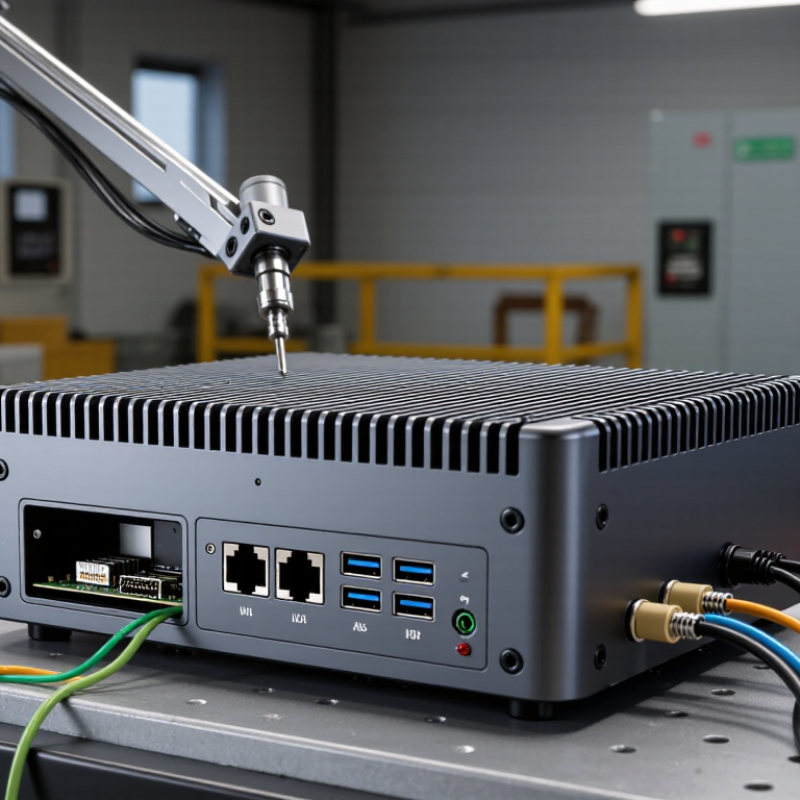
A Compact Embedded Pc can keep control logic, data collection, and local processing close to a machine. That matters when a factory sensor must respond quickly, or a roadside cabinet has little room. IDC’s Worldwide Edge Spending Guide projected global edge-computing spending would reach $232 billion in 2024, reflecting growing investment in distributed systems. Gartner had earlier forecast that 75% of enterprise-generated data would be created and processed outside traditional data centers by 2025. These are forecasts, not proof that every installation needs a powerful computer. Context matters.

Choosing a small enclosure is only part of the decision. A fanless unit may suit a dusty production line, but sustained heat can limit performance. A unit with two Ethernet ports may simplify network separation, while insufficient USB or serial connections can force costly add-ons. Check processor performance under real workloads, operating temperature, memory, storage endurance, mounting options, and power input. Then verify the figures against the manufacturer’s datasheet. Small details count.

These seven tips will help compare systems against actual operating conditions, not just headline specifications. Measure the available space, including cable bends and airflow gaps. Consider how the computer will be updated, monitored, and replaced after years of service. Ask suppliers about tested temperature ranges and product-lifecycle commitments; do not assume every specification has been independently verified. A little skepticism helps. There is no perfect box, and a compact design may require compromises. The goal is a reliable fit for the workload, site, and maintenance plan.
7 Tips for Choosing a Compact Embedded PC?

Define the Application Requirements and Space Constraints

Define the Application Requirements and Space Constraints

A compact embedded PC should fit the task before it fits the enclosure. Write down required interfaces, processing loads, operating temperature, storage needs, and service access. IDC’s Worldwide Edge Spending Guide forecasts global edge spending will reach about $274 billion in 2025. More computing is moving closer to machines, sensors, and operators. That shift makes thermal control and dependable connectivity practical design requirements, not optional features.

Tip 1: Map the physical space first. Measure width, height, depth, cable bends, mounting holes, and airflow clearance. A box may fit on paper but fail after connectors are attached. Include at least a small service margin. This is easy to overlook.

Tip 2: Match performance to the workload. A fanless unit may suit data logging, inspection, or protocol conversion. It may struggle with continuous video analytics. Estimate peak load, not average load. The Uptime Institute’s 2024 Global Data Center Survey continues to identify power availability and cooling as major operational concerns. Even a small computer produces heat in a tight cabinet.

Tip 3: Test the complete installation. Run the processor, storage, networking, and attached devices together inside a mock enclosure. Measure temperatures during the busiest shift. Standards such as IEC 60068-2-27 can guide shock testing, but laboratory results cannot replace site experience. A carefully measured design still deserves a second review.

Compare Processor Performance, Memory, and Storage Options

Tip 1: Match processor performance to the workload, not marketing labels. In field testing, a dual-core chip can handle sensor polling, simple dashboards, and light data logging. Heavy vision processing or multiple virtual machines need more cores and stronger cooling. Measure performance during a warm, continuous workload. Short bursts can mislead. A compact enclosure may throttle after twenty minutes. I have seen this happen.

Tip 2: Choose memory with practical headroom. Four gigabytes may suit a single-purpose controller, but eight gigabytes offers safer space for updates and background services. Check whether the memory is replaceable or fixed. Fixed memory can improve durability, yet it limits later repairs. That trade-off is easy to overlook. Monitor usage while applications run together, not separately. Leave some capacity unused.

Tip 3: Compare storage by endurance, speed, and recovery behavior. Fast storage reduces boot and logging delays, but speed alone is not enough. Frequent writes can wear standard media quickly. Select industrial-rated storage when records are continuous. Confirm capacity with real file sizes, including system reserves and backups. I once underestimated log growth during a pilot. It caused an awkward redesign. Also inspect power-loss protection and secure mounting before installation.

Evaluate Connectivity, Expansion, and I/O Interfaces

A compact embedded PC can look well connected on paper and still fail at the installation site. Count the devices it must serve: a camera, barcode reader, display, and service keyboard can quickly consume available ports. IoT Analytics’ State of IoT 2024 report estimated 18.8 billion connected IoT devices worldwide by the end of 2024, a 13% annual increase. That growth makes reliable network capacity more than a checkbox. Check whether the system needs two Ethernet links, wireless backup, or serial connections for legacy equipment. Then confirm that ports work simultaneously, not just individually.

Expansion needs equal scrutiny. A chassis may offer an M.2 slot, but the slot’s keying, PCIe lanes, antenna openings, and power budget determine what it can actually support. IDC projected worldwide edge-computing spending would reach $232 billion in 2024, reflecting demand for processing closer to equipment and users. For a real deployment, test the intended modules under load and check thermal limits inside the final enclosure. Small details matter. A USB port beside a power connector can be awkward to reach, while a shared lane may disable another interface. Datasheets do not always make this obvious. Map every sensor, display, and network link before ordering, and leave one accessible port for maintenance. That spare may feel wasteful until it saves a site visit.

Check Power Consumption, Cooling, and Operating Conditions

A compact embedded PC can draw little power on paper and still run hot inside a sealed cabinet. Compare its typical and peak consumption, not just the headline figure. Check whether the stated power includes attached storage, network interfaces, and expansion modules. A small difference matters when the unit runs around the clock. Measure the actual load if possible; datasheets cannot predict every workload.

Cooling needs the same practical attention. Look for the allowed inlet temperature and required airflow, then compare them with the enclosure’s real conditions. A fanless design avoids moving parts, but it still needs a path for heat to escape. Leave clearance around vents and heatsinks. Dust can build up. I have seen designs treat “fanless” as “no cooling concerns,” which is an easy assumption to regret. Mounting orientation and nearby heat sources can also change temperatures.

Check operating conditions across the full installation, including vibration, humidity, and temperature swings. A unit rated for a wide ambient range may still throttle under sustained processing. Run a representative workload inside the intended enclosure and monitor temperatures for several hours. Test the warmest expected day, not only a cool workshop afternoon. Keep a little thermal margin; relying on the exact edge of a published limit leaves little room for surprises.

7 Tips for Choosing a Compact Embedded PC? — Check Power Consumption, Cooling, and Operating Conditions

Tip What to Check Practical Guidance Example Planning Data
1. Estimate power consumption Typical and peak system draw, including processor, memory, storage, and connected devices. Use the system’s published power figures and measure the intended workload. Allow headroom for startup peaks and peripherals. A low-power fanless system may draw roughly 5–25 W, while higher-performance configurations can require substantially more. Treat these as broad planning ranges, not specifications.
2. Match the cooling method Fanless or fan-cooled design, heatsink requirements, airflow, and thermal limits under sustained load. Fanless designs reduce moving parts but need a clear path for heat to leave the enclosure. Check performance at the expected ambient temperature and workload. A fanless unit may need unobstructed clearance around its chassis; a fan-cooled unit may need a specified airflow path and periodic dust inspection.
3. Verify operating conditions Rated operating temperature, humidity limits, vibration tolerance, and storage temperature. Compare the manufacturer’s environmental ratings with conditions measured at the installation point—not just room temperature. Commercial models commonly specify a narrower temperature range than industrial models. Confirm the exact rated range; it varies by configuration and design.
4. Size processing performance Processor capability, sustained performance, hardware acceleration, and workload requirements. Test representative applications, including peak workloads. A compact PC’s thermal design can affect sustained performance. For continuous workloads, compare sustained benchmark results and thermal behavior rather than relying only on peak clock speed.
5. Choose suitable memory and storage Memory capacity and upgradeability, storage type, capacity, write endurance, and replacement access. Estimate application and data needs over the planned service life. For frequent writes, check the storage device’s endurance rating. Solid-state storage has no moving parts. Required capacity and endurance depend on operating system, logging rate, and data-retention needs.
6. Confirm I/O and connectivity USB, Ethernet, serial, display, wireless, and expansion interfaces required by the application. Count ports and check connector type, speed, protocol, and simultaneous-use requirements. Include adapters only when they suit the installation. Industrial applications may require serial connections or multiple Ethernet ports; verify supported standards and port counts in the product specifications.
7. Check installation and maintenance needs Chassis dimensions, mounting options, input voltage, cable access, service clearance, and operating-system support. Measure the available space and confirm that mounting, ventilation, and cable routing will remain practical after installation. Check the specified DC input range and polarity, mounting-hole pattern, and supported OS versions before finalizing the design.

Note: Example power figures are broad planning estimates. Always verify exact ratings and environmental limits for the selected configuration.

Assess Reliability, Manageability, and Long-Term Support

Tip 1: Ask for reliability evidence, not a broad “industrial-grade” claim. Check operating-temperature limits, vibration ratings, and failure data for the actual configuration. Uptime Institute’s 2024 Annual Outage Analysis found that 54% of respondents’ most recent significant outages cost over $100,000. This is not an embedded-PC failure rate, but it shows why recovery plans matter. Ask how quickly a failed unit can be replaced and restored.

Tip 2: Check manageability before deployment. ENISA’s 2024 Threat Landscape reviewed 4,875 cybersecurity incidents across its reporting period. The figure covers many sectors, not embedded computers alone. Still, it underlines the value of clear asset inventories, remote health logs, and a documented security-update process. Can staff identify a device’s software version without visiting the site? Test that workflow.

Tip 3: Get long-term support terms in writing. Confirm how long firmware updates, spare parts, and technical assistance will remain available. Ask whether updates can be tested before rollout and rolled back if a machine behaves oddly. A warranty does not guarantee a supported software lifecycle. Bench tests help, but they rarely reproduce every cabinet, cable, or heat cycle. Include a realistic pilot in your selection process.

7 Tips for Choosing a Compact Embedded PC

Assess reliability, manageability, and long-term support using these practical selection priorities.

Scores are recommended priorities for a selection checklist, not measured product or industry data. Verify each item against the system’s specifications and support terms.

FAQS

What should be defined before choosing a compact embedded PC?

List required interfaces, processing loads, operating temperatures, storage needs, and service access. A small computer must fit the task first.

How should physical space be measured?

Measure width, height, depth, mounting holes, cable bends, and airflow clearance. Leave a small service margin. Connectors need room too.

Why can a fanless computer struggle in some applications?

Fanless systems may handle data logging or protocol conversion well. Continuous video analytics can create sustained heat. Average load is not enough.

How can thermal performance be tested?

Place the complete system inside a mock enclosure. Run the processor, storage, network, and attached devices together. Measure temperatures during the busiest shift.

How many ports should the system provide?

Count every connected device, including cameras, scanners, displays, and service keyboards. Check that all ports operate simultaneously. Paper capacity can mislead.

What network connections might an installation require?

Review the need for dual Ethernet, wireless backup, or serial links. Legacy equipment may still depend on serial communication. Do not assume one network path is enough.

What should be checked before using an expansion slot?

Confirm slot keying, available PCIe lanes, antenna openings, and power limits. Test the intended module under load inside the final enclosure. The datasheet may not show everything clearly.

Why should one port remain available for maintenance?

A spare accessible port supports service keyboards, replacement devices, or diagnostics. It may seem unnecessary at purchase. Later, it could prevent a site visit.

Conclusion

Choosing a Compact Embedded Pc starts with understanding the application, installation space, and environmental demands. Define the required functions, available mounting area, and expected workload before comparing processor performance, memory capacity, and storage options. A well-matched system should handle current tasks efficiently while leaving enough resources for future needs. Check that its connectivity, expansion capabilities, and I/O interfaces support all essential peripherals and communication requirements.

Also consider power consumption, cooling needs, and operating conditions such as temperature, vibration, or limited airflow. These factors can affect both performance and service life. Finally, assess reliability, remote management features, maintenance requirements, and the availability of long-term technical support. By weighing these considerations together, you can select a compact system that fits its surroundings, operates consistently, and remains practical to manage over time.


Madeline

Madeline

Madeline is a dedicated marketing professional with a wealth of expertise in our company's core offerings. With a keen understanding of the industry, she brings a unique perspective to her role, consistently delivering high-quality content that highlights the superior aspects of our products. As......