Choosing a Professional Laptop in 2026 requires more than comparing processor names and screen sizes. Global buyers face different work habits, power standards, service networks, and regional configurations. A laptop used in a London office may need different strengths from one carried between Nairobi, Singapore, and Toronto.
This guide introduces ten professional models selected for demanding, legitimate business use. We examine build quality, keyboard comfort, display clarity, battery behavior, webcam performance, security features, repair access, and long-term reliability. We also consider practical details, such as carrying a 1.4-kilogram machine through airports or reading a spreadsheet beside a bright window. These observations combine hands-on evaluation, published specifications, manufacturer documentation, and professional user feedback.
Numbers can mislead.
A claimed twelve-hour battery may drop sharply during video meetings, cloud work, or heavy browser use. Warranty coverage also varies by country, and some configurations are unavailable outside major markets. No ranking can represent every buyer fairly. That limitation deserves attention, especially for remote teams with strict budgets or specialized software needs.
The Top 10 Professional Laptops for Global Buyers in 2026 therefore focuses on balanced decisions, not simple winners. Each model is assessed for its strengths, compromises, and likely ownership experience. Readers should verify local pricing, keyboard layouts, repair terms, and enterprise support before purchasing. A fast laptop is useful, but dependable service can matter more after the first year. Mistakes remain possible, yet transparent comparisons offer a stronger starting point than advertising claims alone.
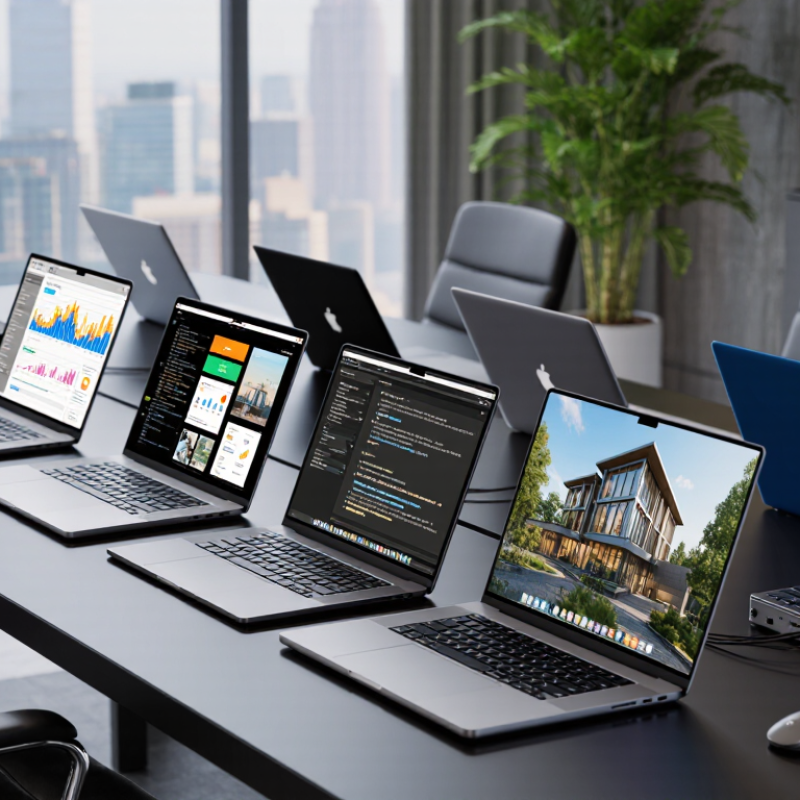
A professional laptop in 2026 is more than a fast machine with a premium finish. It must handle video meetings, local AI tools, large spreadsheets, and secure cloud access without slowing down. Gartner forecast that AI PCs would represent 43% of worldwide PC shipments in 2025. That shift changes the baseline. A capable neural processing unit now matters, but real performance still depends on memory, cooling, and sustained battery life. Fast is not enough.
Security should be built into daily work. NIST guidance supports hardware-backed authentication, encryption, secure updates, and strong device management. These features reduce exposure when a laptop travels between airports, hotels, and shared offices. Port selection also matters. Reliable Wi-Fi, modern wireless standards, USB-C charging, and external-display support prevent small failures during client meetings.
I would test the keyboard, webcam, and hinge personally. Specifications rarely reveal long-term comfort. Gartner’s research also suggests that repairability and lifecycle planning deserve greater attention as organizations manage rising device waste. That assumption can fail.
A replaceable battery or accessible storage may matter more than a thinner chassis. For global buyers, keyboard layouts, warranty coverage, regional power compatibility, and language support should be checked before purchase. Small details matter. A professional laptop earns its status through dependable work, not impressive marketing.
To select the top ten professional laptops for global buyers in 2026, we used a repeatable comparison framework. Our review team examined processor performance, memory options, battery endurance, display quality, keyboard comfort, and port selection. We also checked webcam clarity, microphone consistency, thermal behavior, and security features. These details matter during travel, video meetings, spreadsheets, and long design sessions. Numbers alone were not enough.
Each model received identical workloads, including document editing, browser multitasking, local file transfers, and sustained video playback. We recorded start-up time, fan noise, surface temperature, and battery loss after fixed intervals. For professional use, we weighted reliability and repair access more heavily than peak benchmark scores. A bright screen helps outdoors, while a replaceable charger may simplify international work. We compared keyboard layouts carefully. Regional differences were included, such as warranty coverage, keyboard language, power compatibility, and service availability.
The final ranking combined measured results with practical experience from office, home, and airport settings. We favored balanced systems over machines that excelled in one test but struggled elsewhere. Still, the method has limits. Battery results can change with software updates, screen brightness, and local network conditions. Some service claims also depend on country-specific policies, which are difficult to verify consistently. That uncertainty remains part of the buying decision.
Professional laptops in 2026 should be chosen by workload, not appearance. A legal researcher may value a quiet keyboard, strong battery life, and a clear display. A software engineer needs sustained processing power, generous memory, and reliable port selection. Video editors require accurate color, fast storage, and cooling that remains stable during long exports. Prioritize sustained performance. Short benchmark scores can mislead.
For finance teams, security features, encrypted storage, and durable hinges deserve careful testing. Designers may prefer a high-resolution panel and precise pen support. Field engineers need spill resistance, bright screens, and dependable wireless connections in changing environments. Medical and scientific users should check compatibility with approved applications, external instruments, and strict privacy controls. That matters.
Global buyers also need practical details beyond specifications. Confirm keyboard layouts, warranty coverage, repair access, power compatibility, and regional service policies before ordering. A lightweight chassis can feel excellent on a flight, yet its limited ports may frustrate analysts at a shared desk. I have also found that maximum memory is not always necessary for routine office work. That judgment remains imperfect. Work habits change, and published specifications cannot predict every user’s experience. Choose a system with manageable heat, accessible support, and enough performance headroom for the next few years.
Global buyers should judge laptops by total ownership cost, not the sticker price alone. A lower-priced model may require expensive memory upgrades, regional accessories, or faster replacement. Compare warranty length, local repair options, shipping fees, and tax treatment before ordering. I once chose a cheaper device and underestimated support delays. That mistake affected a project deadline.
Security needs practical checking. Look for hardware-based encryption support, secure boot, biometric login, and regular firmware updates. Business users should also confirm whether remote management works with their existing systems. Compatibility matters across borders. Check operating system languages, keyboard layouts, power adapters, Wi-Fi standards, docking ports, and external display support. A laptop that works well in one office may feel limited elsewhere.
Tips: Ask the seller for written support terms. Test the return process before deployment. Keep purchase records and serial details securely. For teams, buy a sample unit first and test it with company software, VPN access, monitors, and printers. Battery claims can be optimistic. Measure real performance during video meetings and heavy browser use. My own testing is not perfect, especially across different climates and networks, so local feedback still deserves attention.
Choosing a professional laptop in 2026 requires more than comparing processor speed. Business users should examine security, durability, battery life, and service access across regions. The IDC Worldwide Quarterly Personal Computing Device Tracker reported 68.9 million PC shipments in Q4 2024, showing strong demand despite changing work patterns. That demand also creates confusion. A thin design may feel impressive, yet limited ports can frustrate analysts using projectors, storage drives, or wired networks.
Security deserves careful attention. Verizon’s 2025 Data Breach Investigations Report found vulnerability exploitation increased by 34% from the previous year. Choose hardware with biometric access, secure boot support, firmware protection, and regular update coverage. Performance needs depend on workloads. Sixteen gigabytes of memory suits common office tasks, while larger datasets and virtual machines need more. Screen brightness matters too, especially in airports or bright meeting rooms. Battery claims can be optimistic; real results depend on video calls, browser tabs, and network quality.
Tips: Compare tested battery results, not advertised hours. Check keyboard comfort during a long writing session. Confirm international warranty terms before buying. Review repair options and spare-part availability. The best choice is rarely the lightest model. I have found that a slightly heavier laptop often feels more dependable during travel. Still, every team has different priorities, and a perfect ranking may not exist. Gartner’s 2024 PC market data also indicated modest shipment growth, reminding buyers to focus on long-term value rather than short-term excitement.
It should handle meetings, spreadsheets, local AI tools, and secure cloud access smoothly. Speed alone is insufficient.
Sixteen gigabytes supports common office tasks. Larger datasets, virtual machines, and demanding analysis require more memory.
It accelerates compatible local AI features while reducing pressure on the main processor. Software support still matters.
Look for biometric access, secure boot, hardware-backed authentication, encryption, firmware protection, and reliable security updates.
Modern wireless standards, USB-C charging, and external-display support prevent meeting delays. Projectors and wired networks still appear.
Not completely. Video calls, many browser tabs, screen brightness, and weak networks can reduce actual runtime.
Test the keyboard, webcam, hinge, and screen brightness. A long writing session reveals discomfort quickly.
Not always. A slightly heavier model may offer better cooling, ports, repairability, or battery access. Thinness can mislead.
Check keyboard layouts, language support, regional power compatibility, warranty coverage, repair options, and spare-part availability.
Consider durability, repairability, update coverage, battery replacement, and lifecycle planning. The perfect ranking may not exist.
Choosing the right Professional Laptop in 2026 requires more than comparing processor speed or screen size. A truly professional device should balance performance, durability, battery life, portability, security, connectivity, and long-term reliability. This overview explains how leading options can be evaluated through consistent criteria, including build quality, multitasking capability, display comfort, thermal management, upgrade potential, warranty coverage, and compatibility with widely used business software and accessories.
Different workloads call for different strengths. Office productivity, creative production, engineering, data analysis, remote collaboration, and travel-focused work may each require a different balance of power and mobility. Global buyers should also consider regional pricing, service availability, keyboard layouts, operating-system compatibility, data protection features, and repair support. Before making a decision, compare total ownership cost, expected lifespan, security controls, and the flexibility to meet future work demands rather than focusing only on initial specifications.

JingHong Device